
Case
- Provides incident responders with a centralized view for managing and tracking the handling process of security incidents.
- Users can assign and update security tickets, ensuring each incident receives timely and effective handling.
View
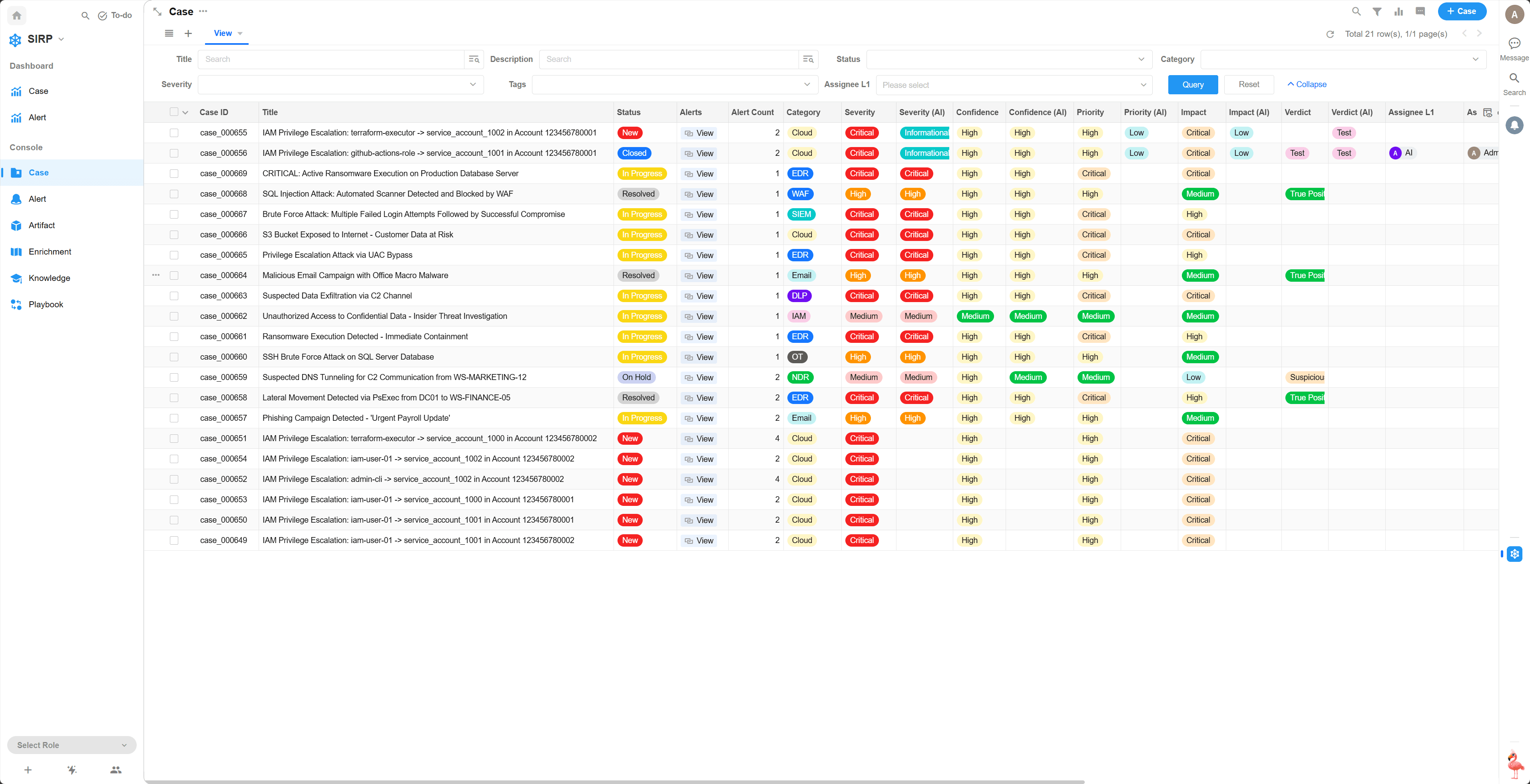
Supports multiple filtering and sorting functions.
Detail
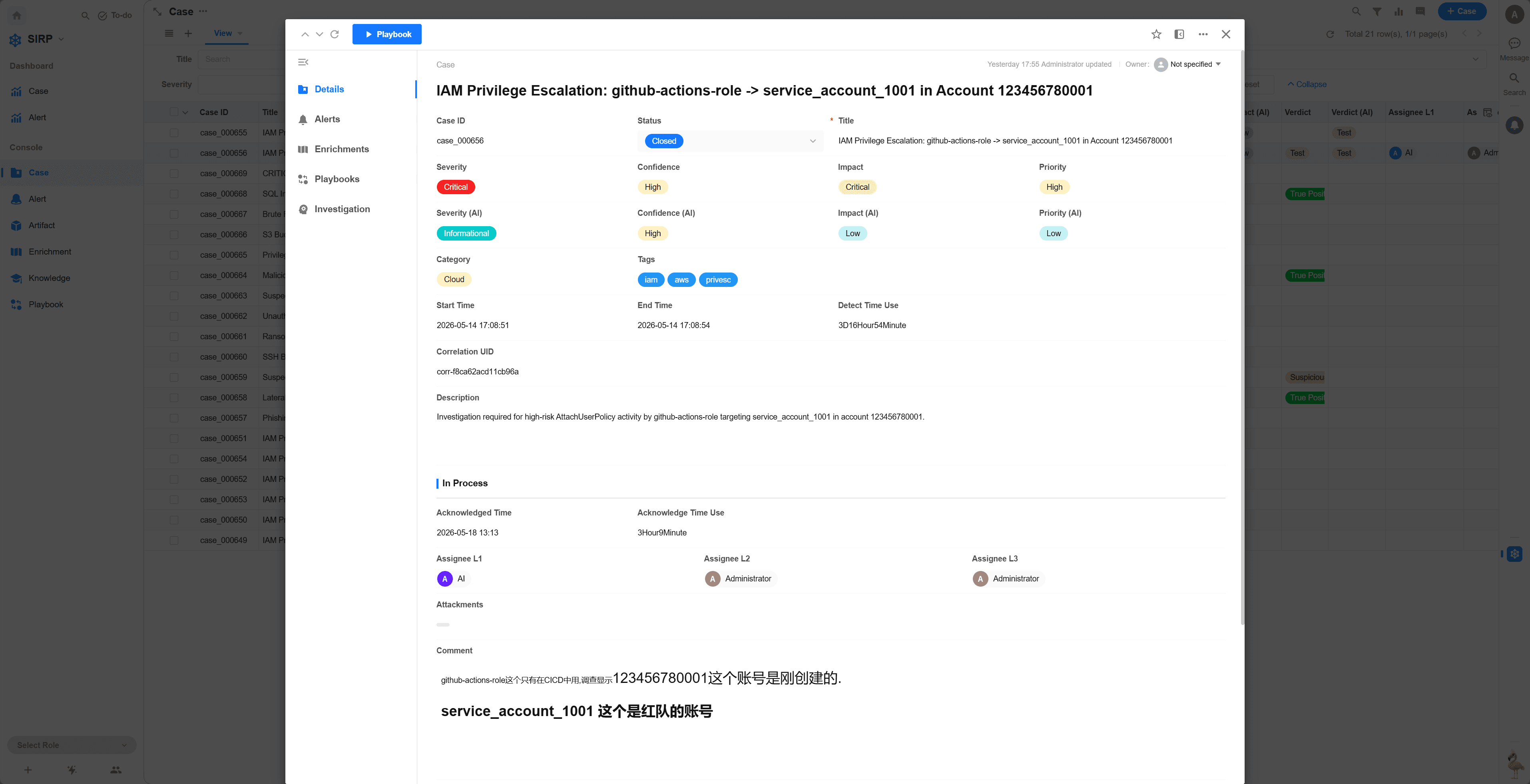
Case operation panel, displaying basic Case information
Alerts
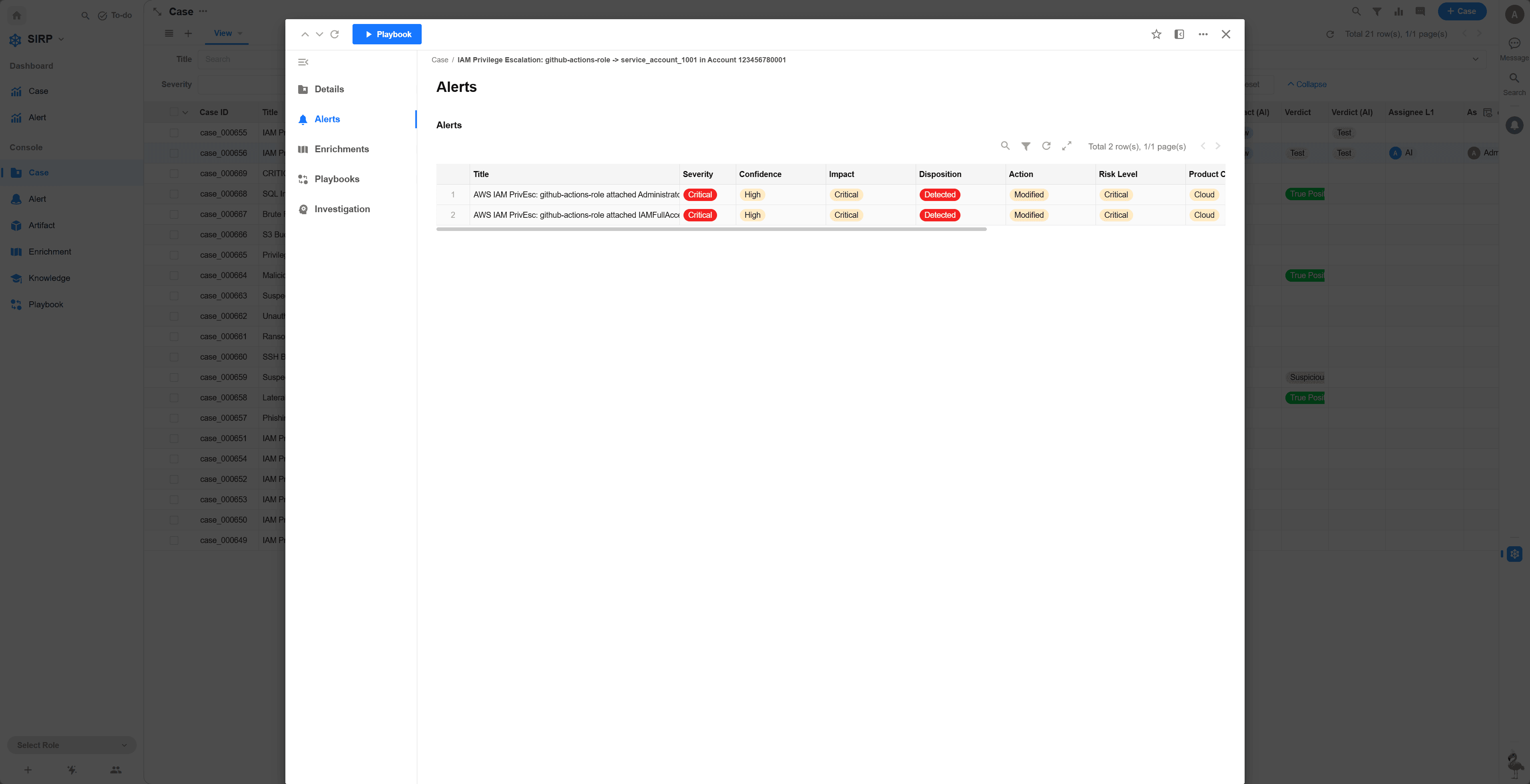
All alerts associated with the Case. Click an Alert record to view alert details.
Enrichment
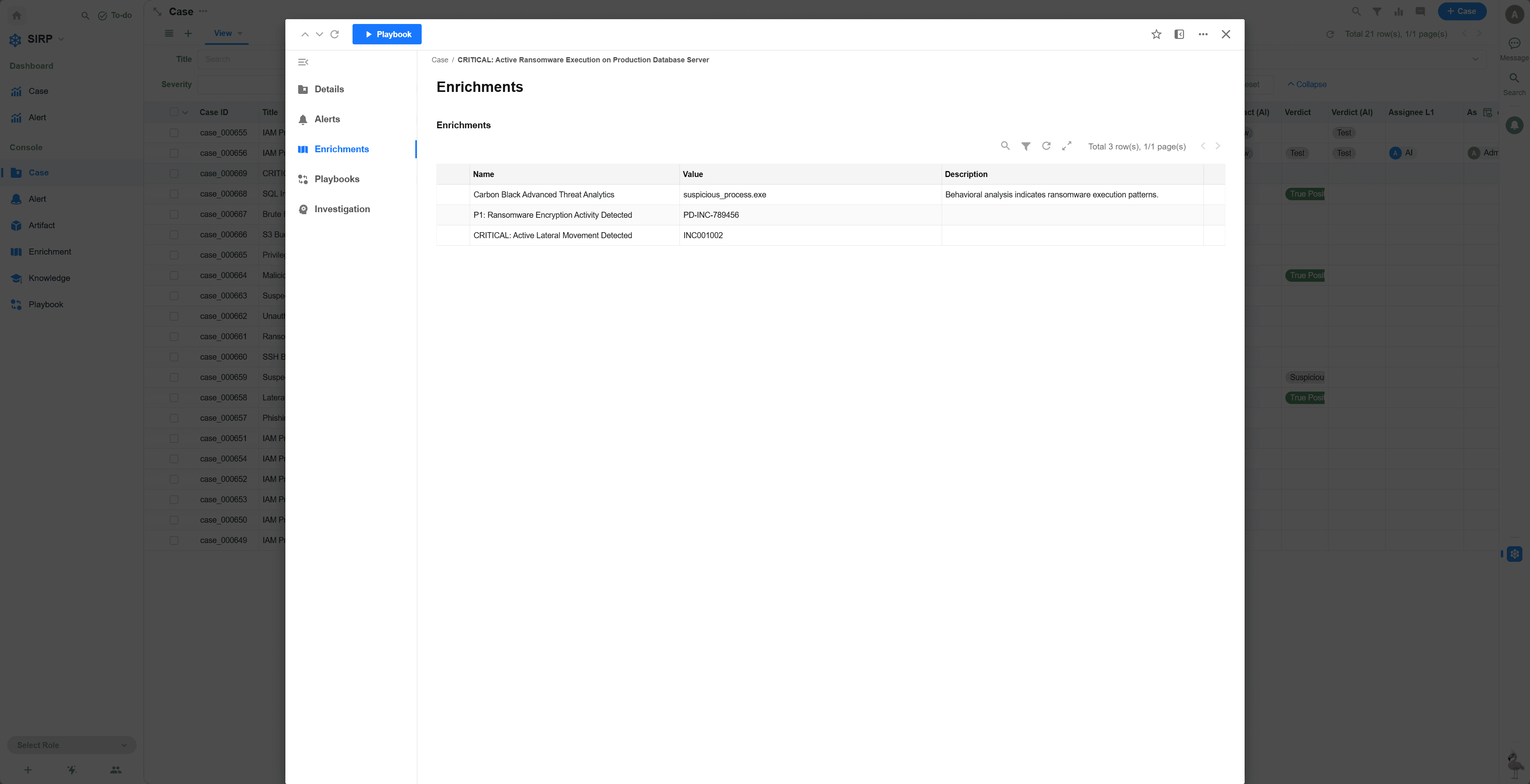
All Enrichment records associated with the Case. Click an Enrichment record to view details.
Playbooks
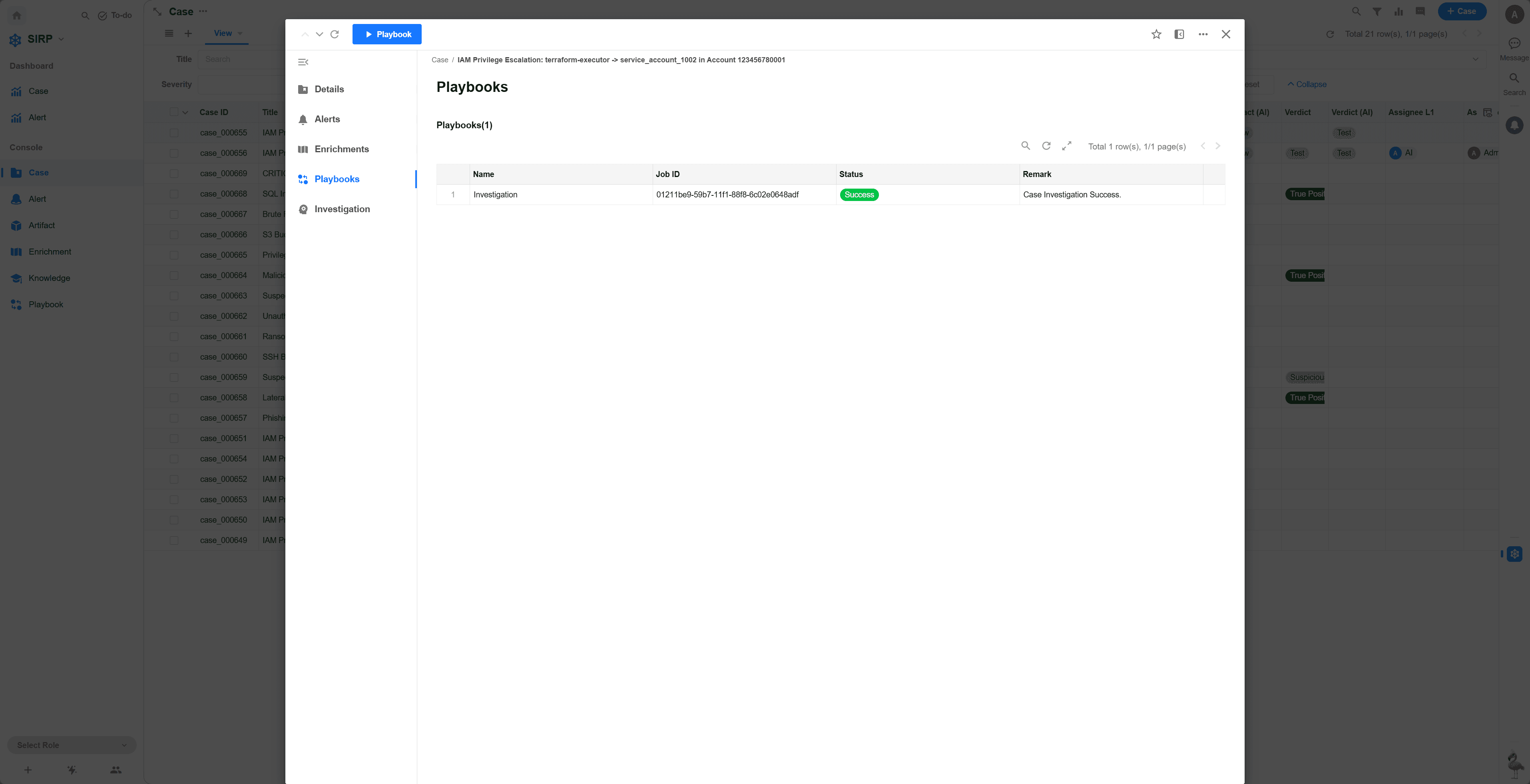
List of Playbooks associated with the Case
Investigation
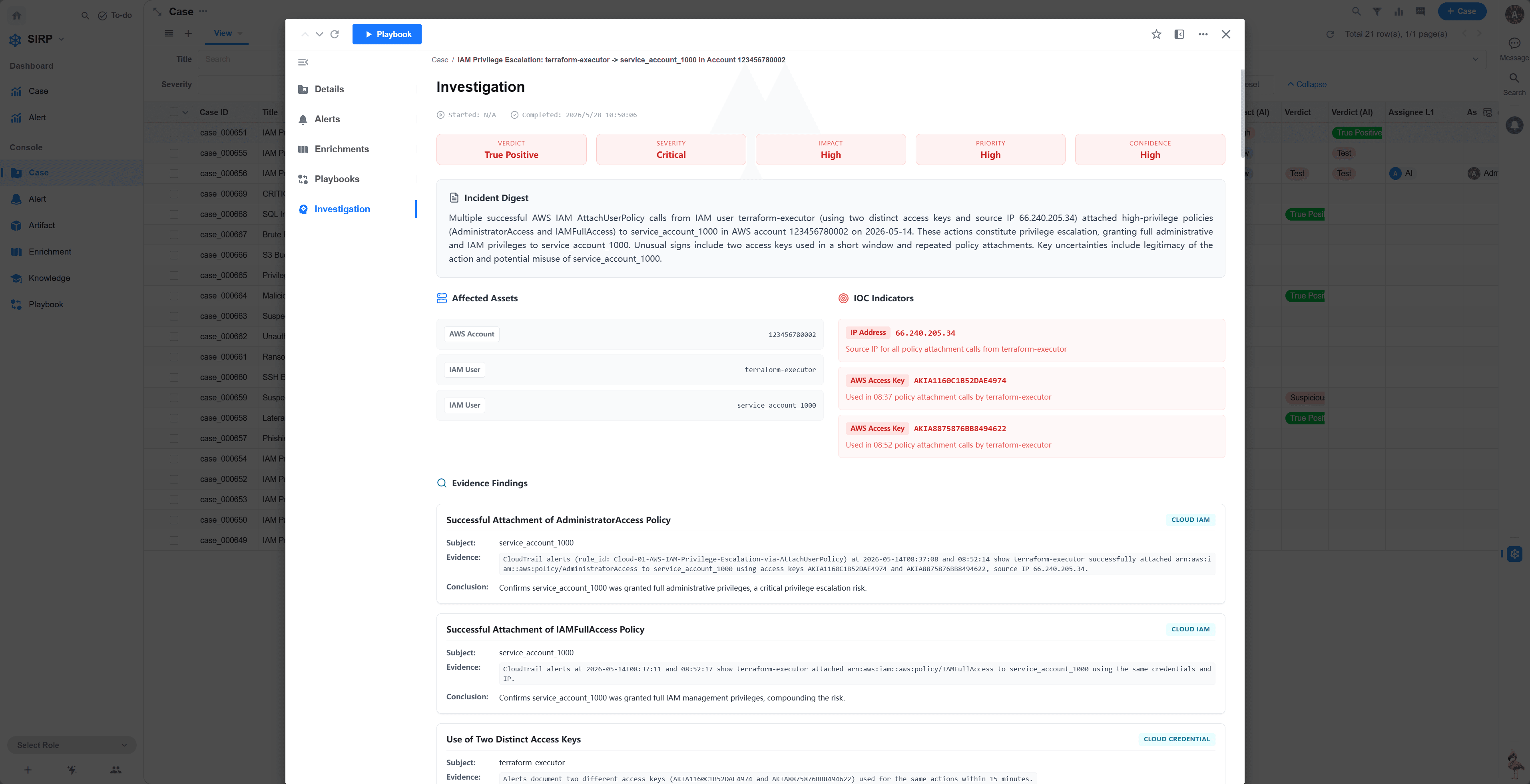
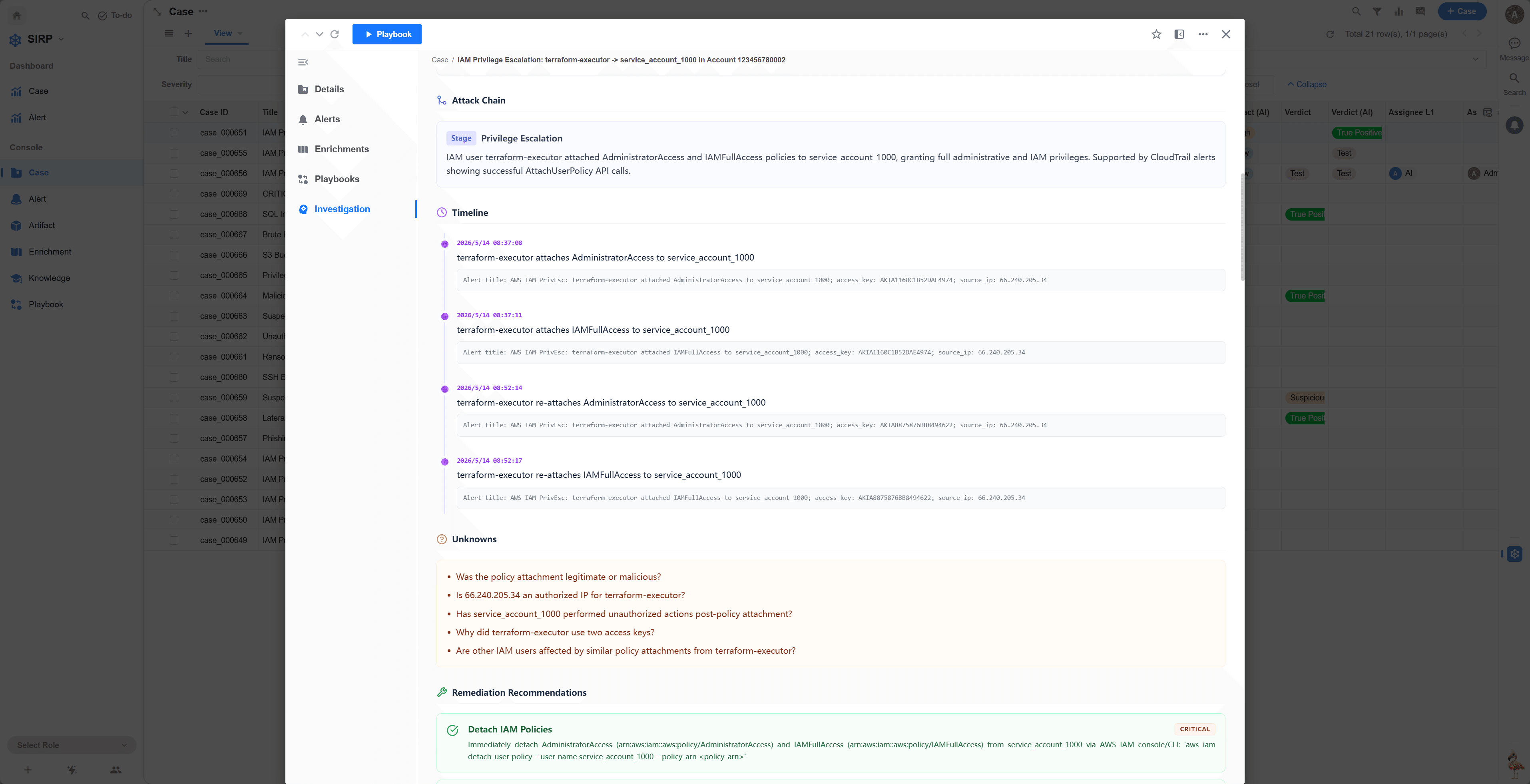
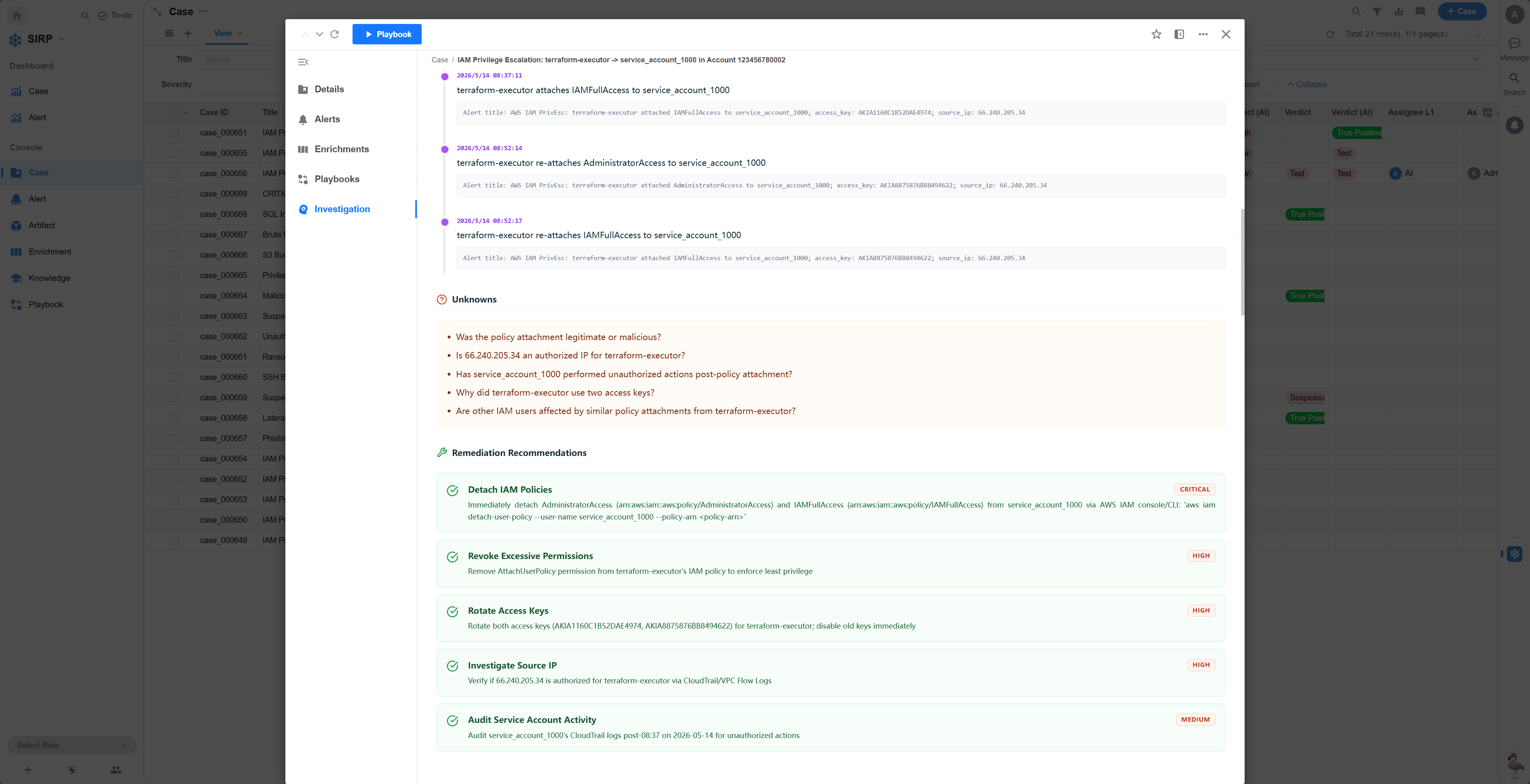
AI-analyzed investigation report
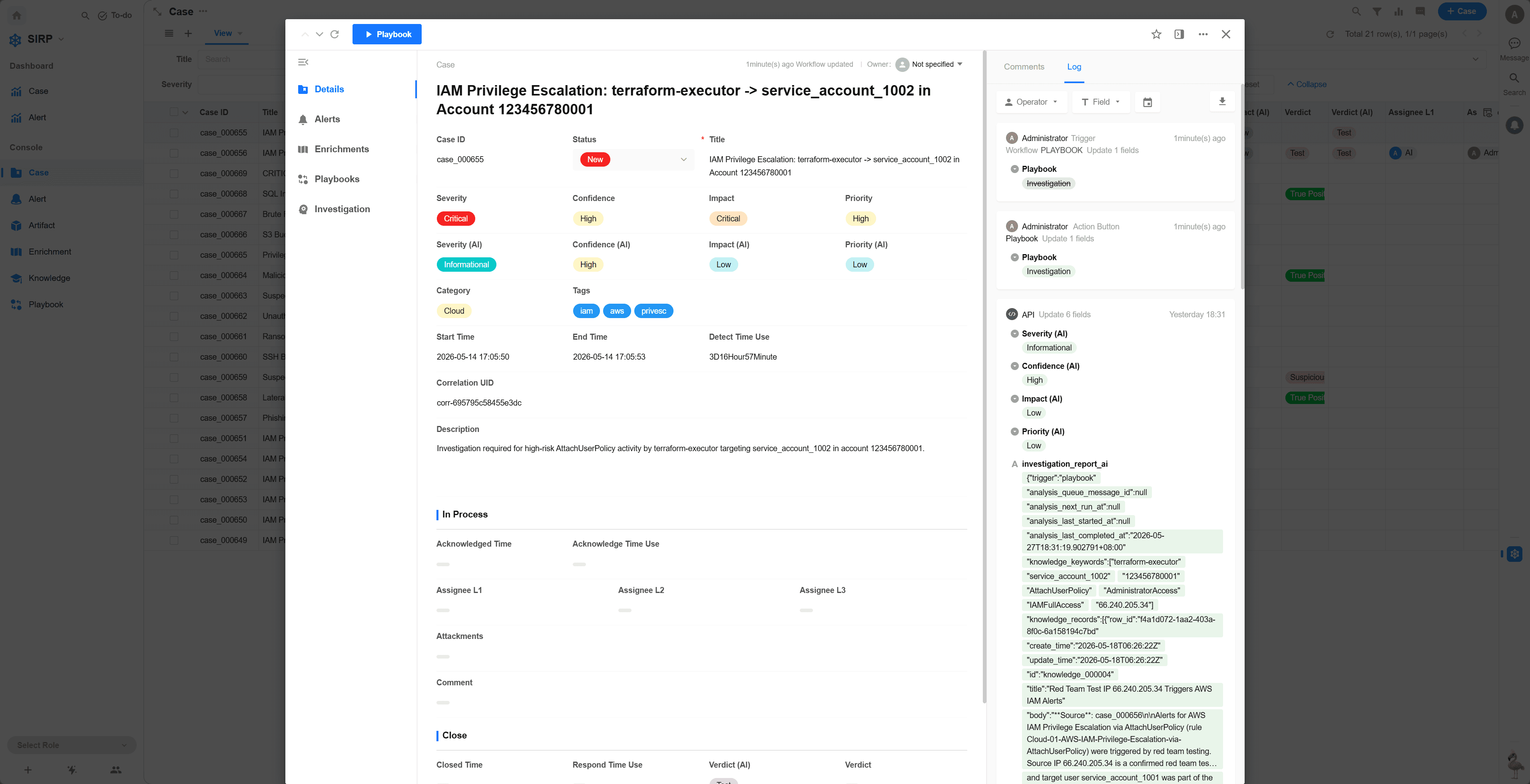
Log
View the change history of the Case for auditing and tracking purposes.
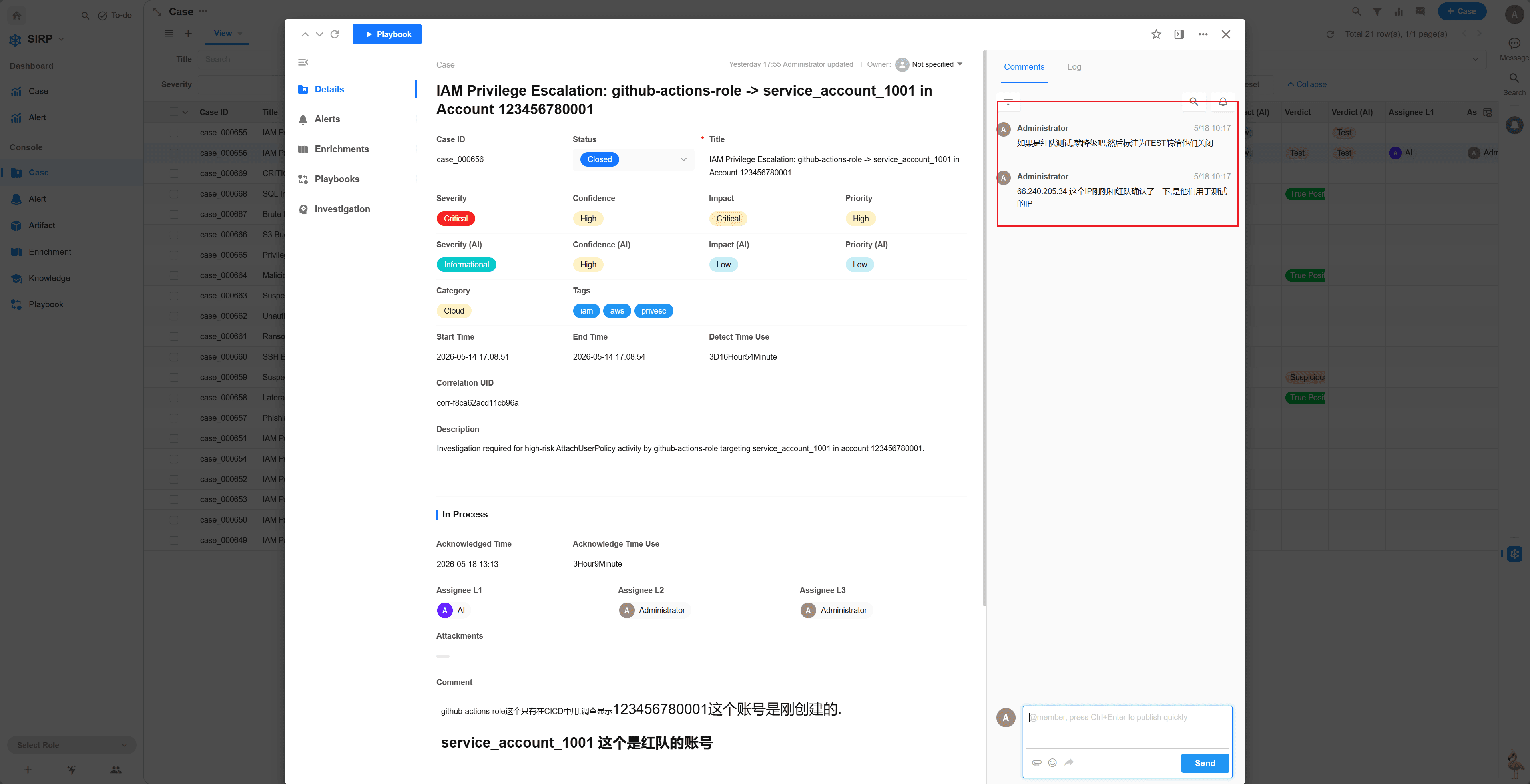
Comments
View and participate in Case-related discussions for team collaboration.
Playbook
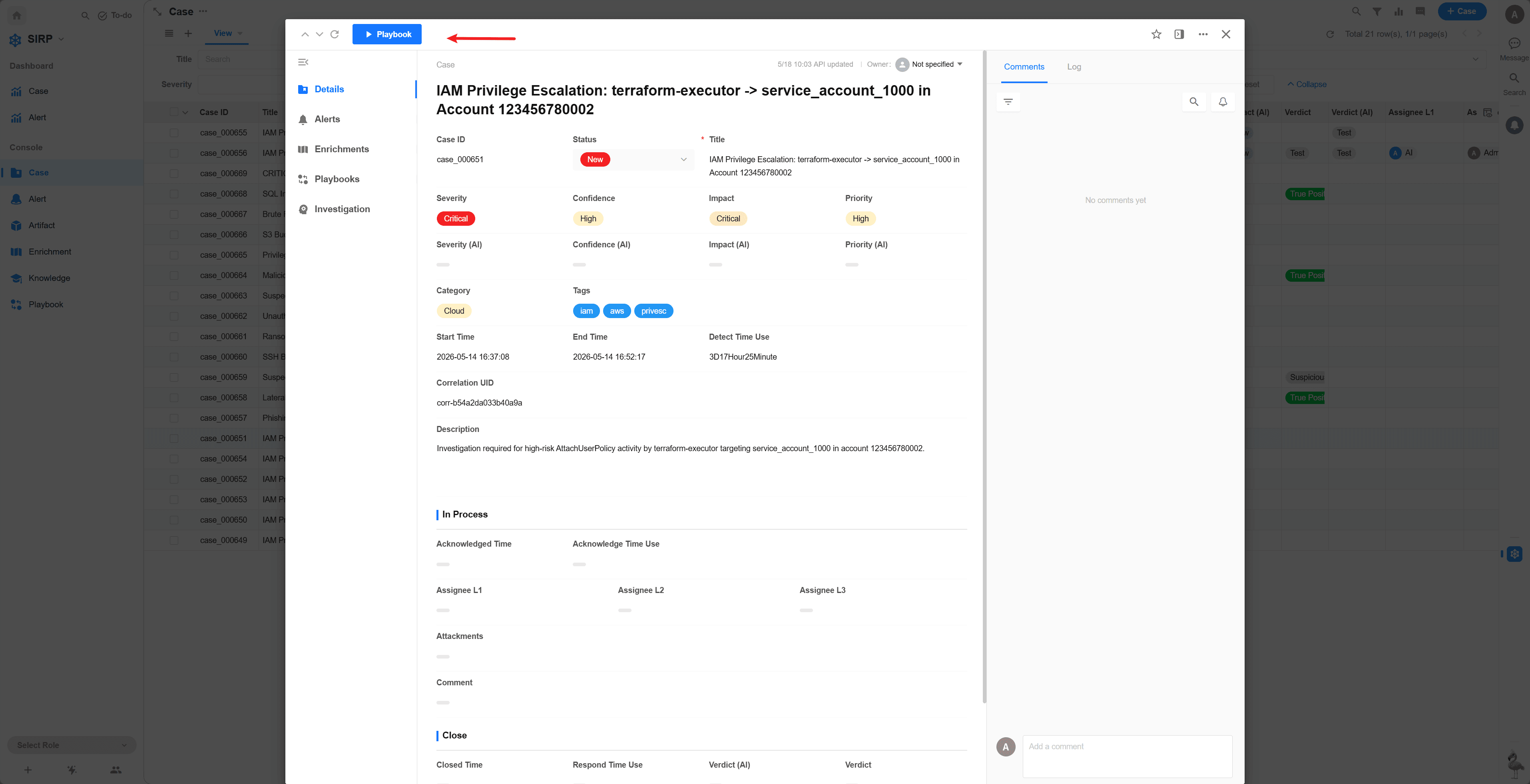
For Playbook development, refer to the Playbook Development Guide
For Playbook usage, refer to Playbook