
System Settings
System settings are used to manage ASP's user, authentication, LLM, SIEM, Threat Intelligence, Runtime, and frontend Tag preview pages.
Entry and Permissions
System settings entry is located at the frontend /system. Only admins can enter this page and use the related settings features.
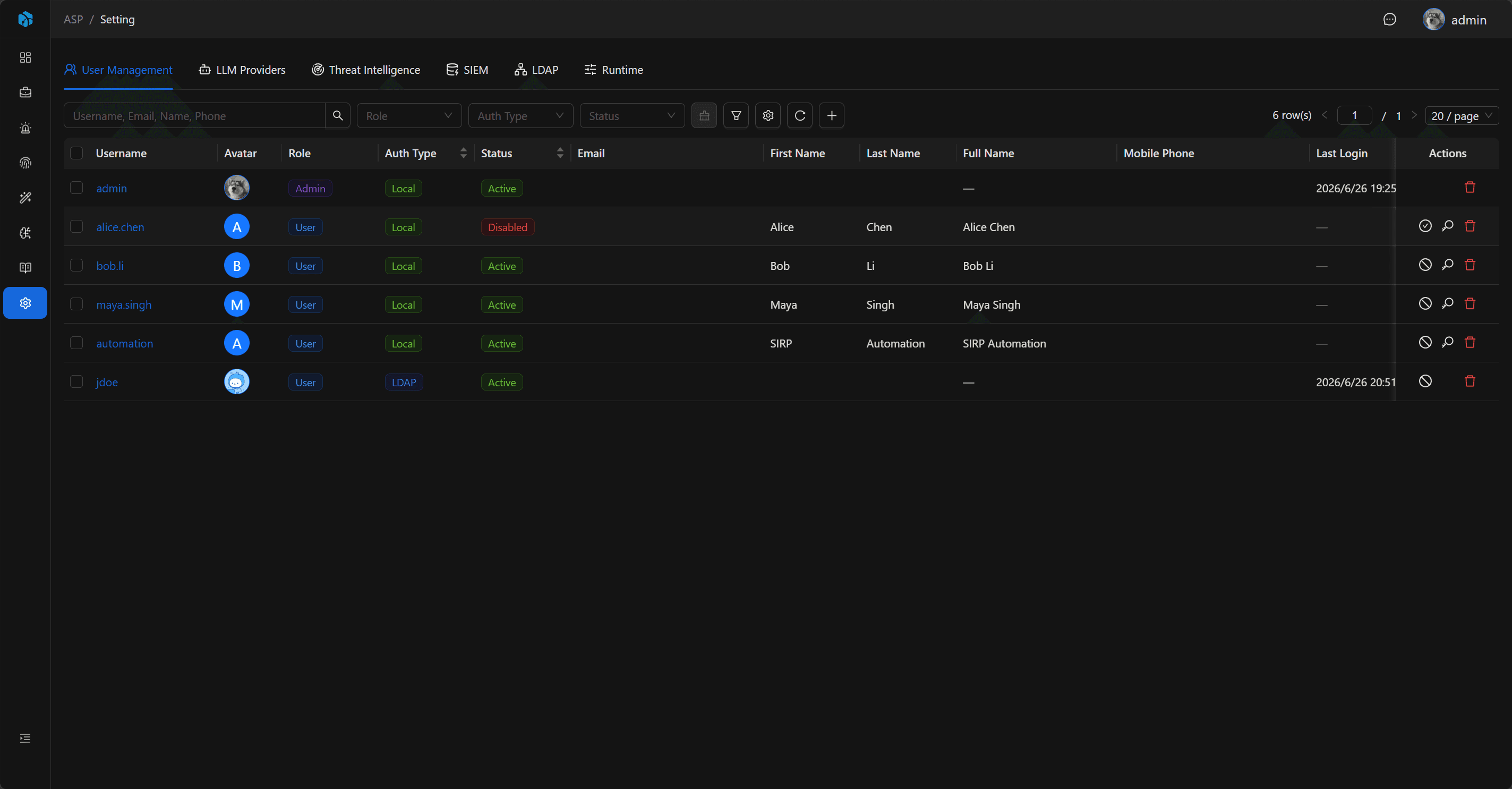
Settings Items
| Setting | Description |
|---|---|
| User Management | Manage users, roles, authentication types, and account status. |
| LLM Providers | Configure model providers for AI investigation, knowledge extraction, and Runtime. |
| Threat Intelligence | Configure threat intelligence providers such as AlienVault OTX and OpenCTI. |
| SIEM | Configure Splunk and ELK connections. |
| LDAP | Configure LDAP login. |
| Runtime | Configure Agentic runtime parameters. |
| Workers | View background Worker heartbeat, runtime state, and latest polling result. |
| Tags | Read-only preview of frontend Tag fields, enums, and colors. |
Audit
LLM, Threat Intelligence, SIEM, and LDAP configurations all support connection tests. Settings updates, connection tests, and key reveals are written to Audit Log; key fields record only whether a value changed or was revealed, not plaintext secrets.
Next Steps
- User Management — Manage users, roles, authentication types, and account status.
- LLM Provider — Configure models used by AI investigation and knowledge extraction.
- SIEM — Configure Splunk or ELK connections.
- Runtime — Configure Agentic runtime parameters.
- Workers — View background Worker runtime state.