
User Management
User Management is used for admins to maintain ASP users, roles, authentication types, and account status.
Entry
User Management is located in the User Management Tab of System Settings. Only admin can enter system settings and manage users.
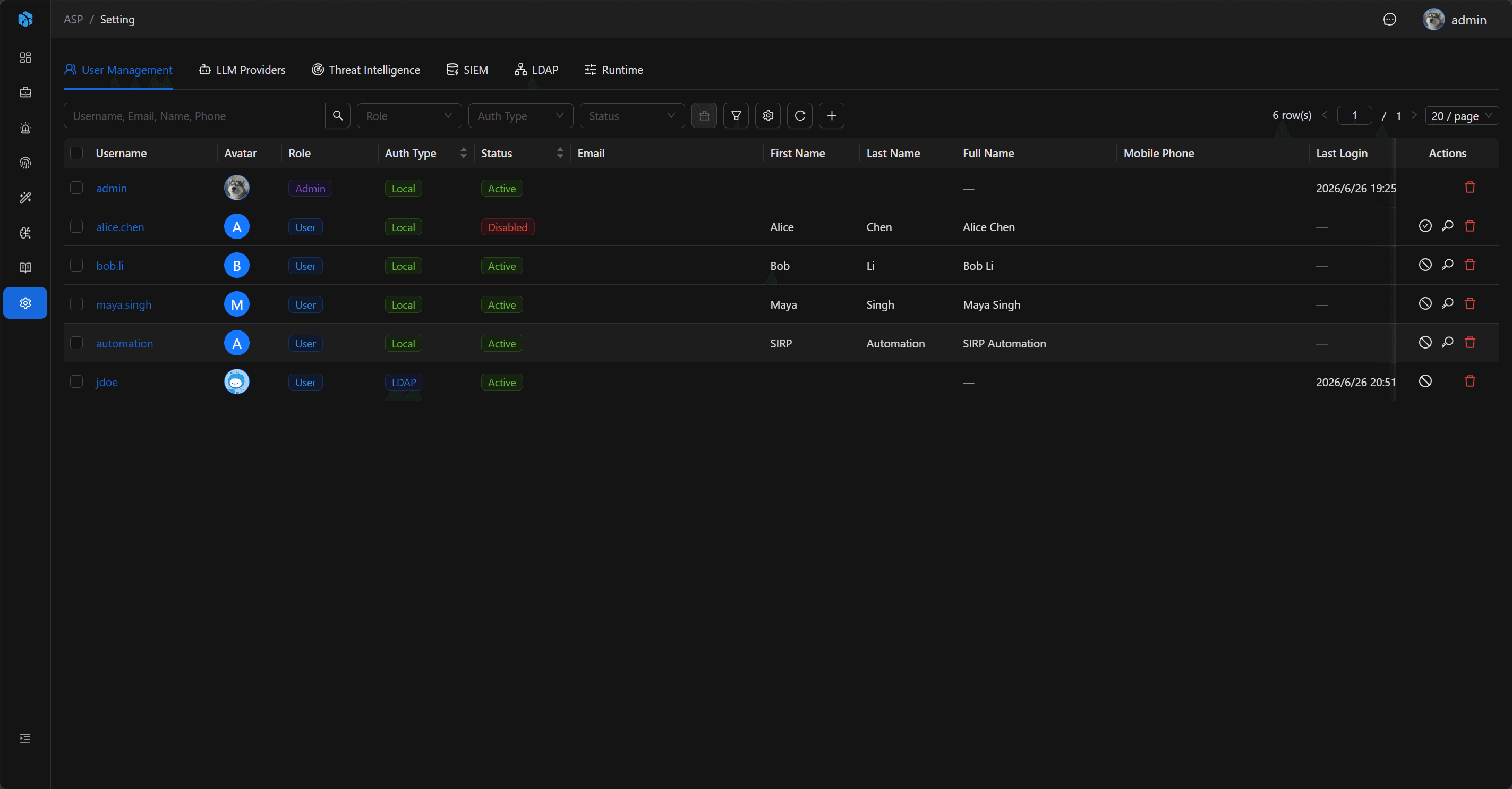
User List
The list displays Username, Avatar, Role, Auth Type, Status, Email, Full Name, Mobile Phone, Last Login, and Date Joined.
The list supports quick filtering by Role, Auth Type, and Status, and also supports advanced filtering by Username, Email, First Name, Last Name, Mobile Phone, Date Joined, Last Login, and other fields.
User Roles
| Role | Source | Description |
|---|---|---|
| admin | Django superuser | Can enter system settings and manage configurations. |
| user | user group or default role | Can create, update, and delete business resources. |
| viewer | viewer group | Read-only user, can only view resources. |
The current interface can only assign user or viewer when creating and editing users; admin comes from Django superuser and is not created through the user management interface.
Admin Account
ASP's admin is a Django superuser and must be created and maintained from the backend command line.
Create admin:
docker compose exec asp-web python manage.py createsuperuserCreated admin uses Platform method on login page to log in.
If you forget the admin username, you can list existing superusers:
docker compose exec asp-web python manage.py shell -c "from apps.accounts.models import User; print('\n'.join(User.objects.filter(is_superuser=True).values_list('username', flat=True)))"If you need to reset admin password:
docker compose exec asp-web python manage.py changepassword <admin-username>Authentication Types
| Type | Description |
|---|---|
| Local Password | Log in using platform local password. |
| LDAP | Log in using LDAP password, after LDAP is configured and enabled. |
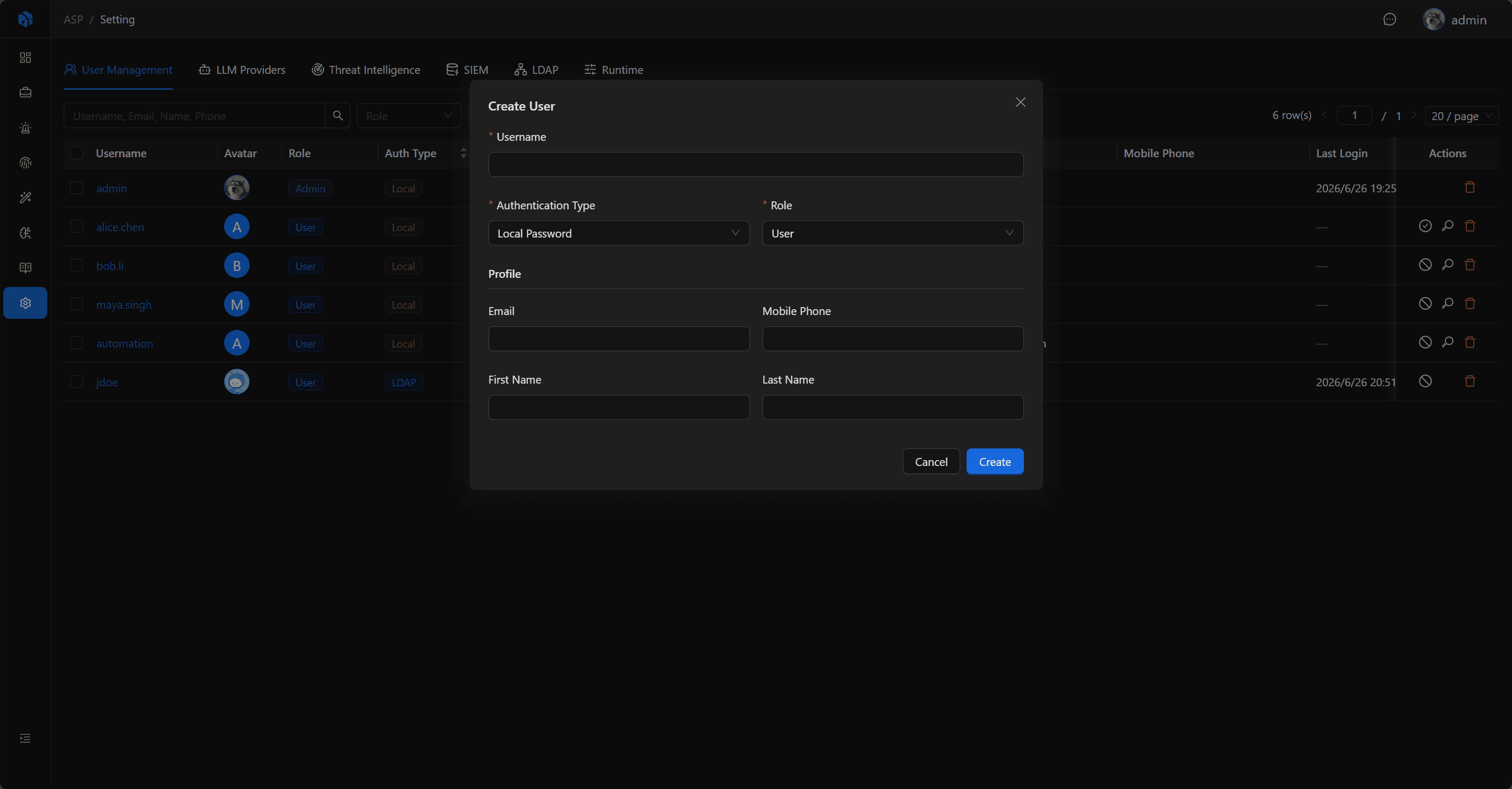
When creating Local Password users, the system generates an initial password and displays copyable account information. LDAP users do not generate local passwords and use LDAP passwords when logging in.
Common Operations
- Create
userorviewerusers. - Edit email, name, mobile phone, and role.
- Enable or disable non-admin users.
- Reset passwords for
Local Passwordusers. - Modify user avatar.
Next Steps
- First Login — Learn about Platform / LDAP login methods.
- LDAP — Configure enterprise identity sources and LDAP user login.
- Personal Center — Let users maintain profiles, notification preferences, and API Keys.