
Playbook
Playbook is an automation task execution record triggered from Case, used to execute user-triggered processes such as AI investigation, knowledge extraction, threat intelligence enrichment, and CMDB enrichment.
View
The Playbook list is used to view all task execution records. The list displays Playbook ID, Name, Status, Case, User, Job ID, Created Time, Updated Time, User Input, and Remark.
The list supports quick filtering by Status, and also supports advanced filtering by Playbook ID, Status, Name, Job ID, User Input, Remark, Created Time, and Updated Time to locate records.
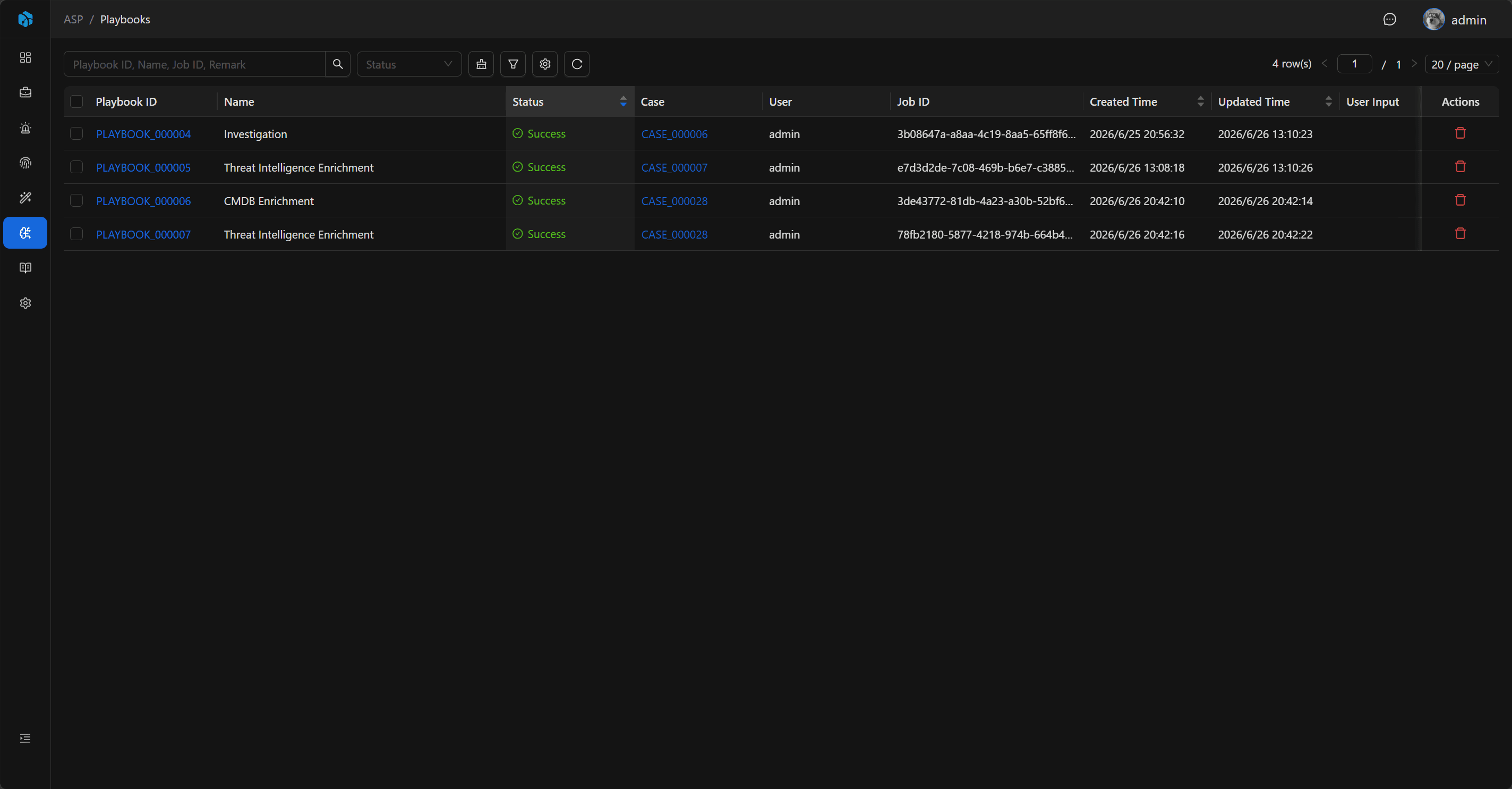
Key Fields
- Playbook ID: System-generated readable ID.
- Case: Trigger source.
- Name: Name of the executed playbook.
- User Input: Initial or appended input.
- User: Requesting user.
- Job Status: Success, Failed, Pending, Running.
- Job ID: Background task ID.
- Remark: Execution remark.
Run Playbook
Playbook is triggered from the Case detail page. After opening the Case, click the Run Playbook button in the upper right corner.
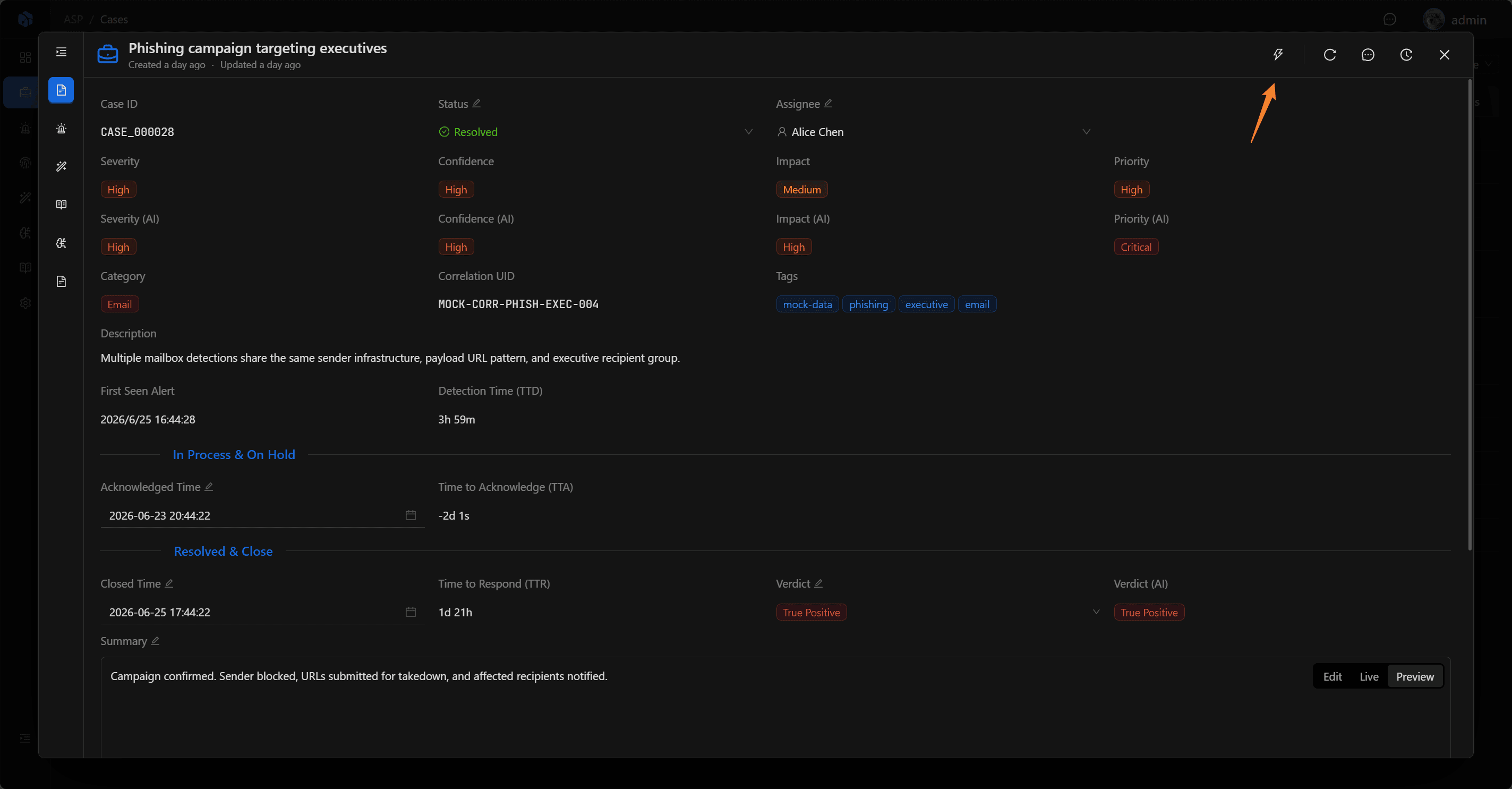
In the dialog, select the Playbook to execute. The list displays Playbook name, tags, and description, and supports search by name, description, or tags.
If there are additional requirements, you can supplement them in natural language in User Input. When executing LLM-related Playbooks such as Investigation or Knowledge Extraction, User Input participates as additional context in the analysis.
After submission, a Playbook execution record is created with initial status Pending.
Basic
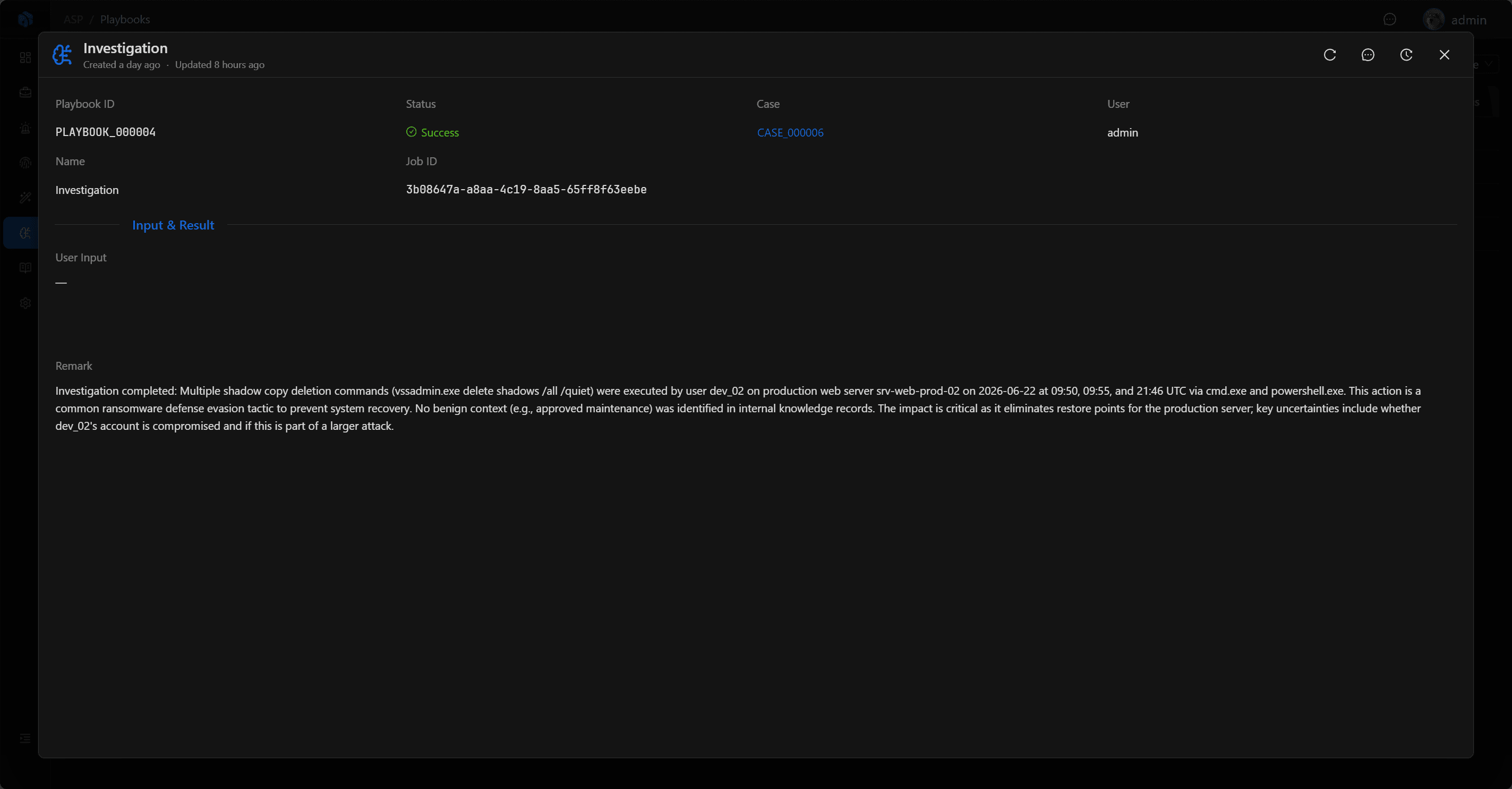
The Playbook detail page displays Playbook ID, Status, Case, User, Name, Job ID, as well as User Input and Remark in Input & Result.
The Case field can navigate back to the trigger source. Remark is used to record execution summary or failure reasons.
Status Flow
Playbook status changes follow this flow:
Pending → Running → Success / FailedPending means the task has been submitted and is waiting for background scheduling; Running means it is being executed; Success and Failed are terminal states.
After execution completes, clicking the task record can view execution details.
Current Built-in Directions
The backend currently includes the following Playbook examples:
- Investigation: Case investigation.
- Knowledge Extraction: Extract reusable knowledge from Cases that already have an analyst verdict.
- Threat Intelligence Enrichment: Query threat intelligence for Case-associated Artifact and write to Enrichment.
- CMDB Enrichment: Query asset context for Case-associated Artifact and write to Enrichment.
Playbook output should be written back to Case, Knowledge, or Enrichment, rather than staying in temporary logs.
Usage Recommendations
- Trigger Playbook from Case, not directly from Alert or Artifact.
- Execute Investigation for cases that need AI investigation reports.
- Execute Knowledge Extraction after the Case has a clear verdict to accumulate reusable knowledge.
- Execute threat intelligence or CMDB enrichment for cases involving entities such as IOC, hosts, and accounts.
- After execution, return to Case, Knowledge, or Enrichment to review results, not just view the Playbook record itself.
Next Steps
- Case — See how Playbooks are triggered from the case war room.
- Knowledge — View knowledge capture results from
Knowledge Extraction. - Enrichment — View threat intelligence and CMDB enrichment results.
- Playbook Development — Write custom Playbooks.