
Runtime
Runtime stores ASP's Agentic runtime configuration, including prompt language, Webhook Stream retention length, and the Dashboard refresh interval.
Entry
Runtime settings are located in the Runtime Tab of System Settings.
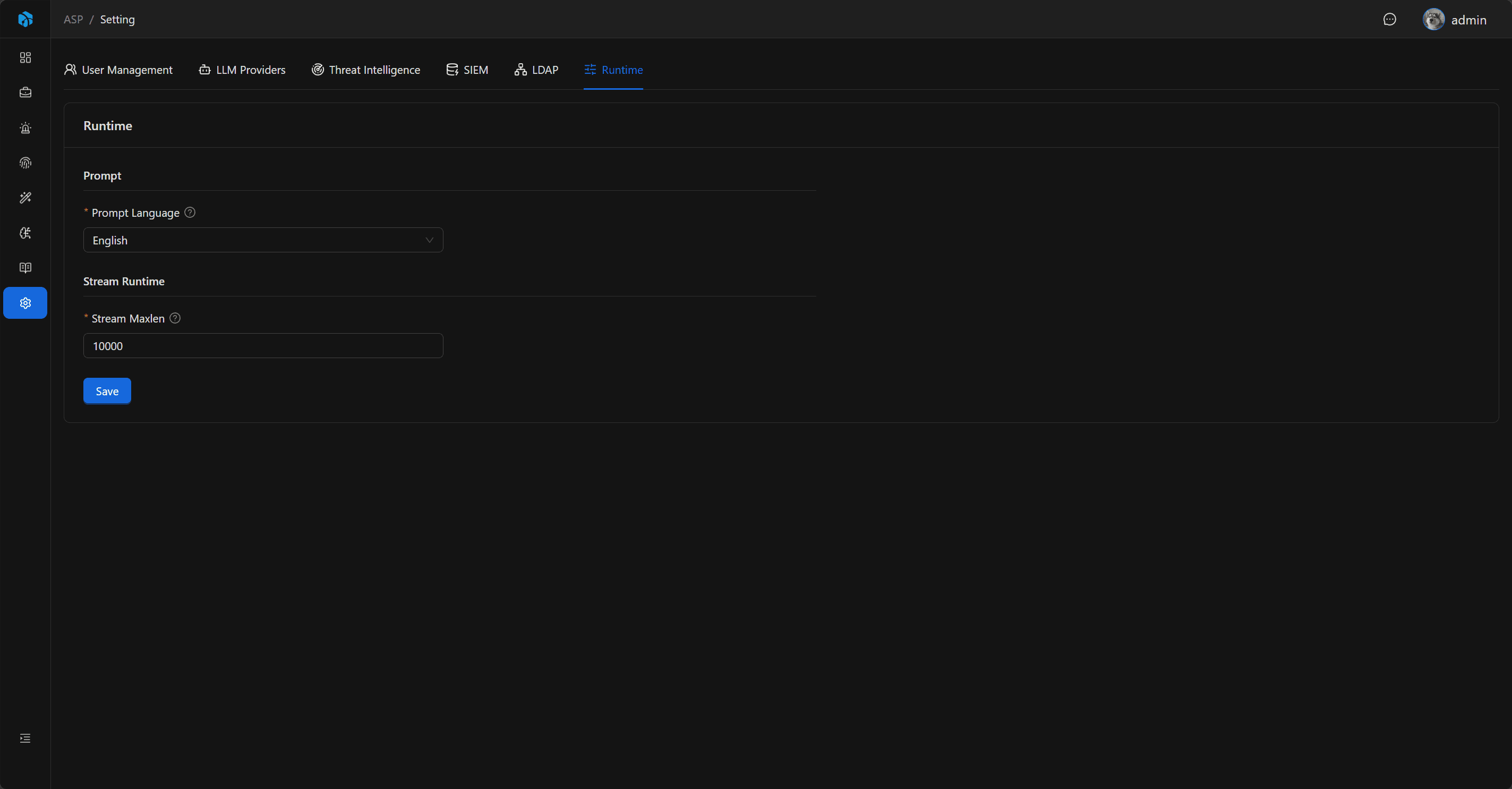
Fields
| Field | Default | Description |
|---|---|---|
| Prompt Language | en | Prompt language used for Agentic analysis and knowledge extraction. |
| Stream Maxlen | 10000 | Approximate maximum length retained when writing Webhook alerts to Redis Stream. |
| Dashboard Refresh Interval | 300 seconds | Interval at which the background worker regenerates Dashboard caches. |
Prompt Language
Prompt Language supports en and zh.
The backend reads corresponding language prompt files based on this value, for example:
backend\data\prompt\analysis\System_en.mdbackend\data\prompt\analysis\System_zh.mdbackend\data\prompt\analysis\KnowledgeKeywords_en.mdbackend\data\prompt\knowledge_extraction\System_en.md
This configuration affects Case AI investigation, knowledge keyword extraction, and Knowledge Extraction.
Stream Maxlen
Stream Maxlen is used to control the retention length when Splunk / Kibana Webhook alerts are written to Redis Stream.
It is an approximate maximum length used to prevent alert Streams from growing without bound. The default value is 10000.
Dashboard Refresh Interval
Dashboard Refresh Interval controls how often the background worker recalculates the 24h, 7d, and 30d Dashboard caches.
Available values are:
- 5 minutes (
300seconds, default) - 15 minutes (
900seconds) - 30 minutes (
1800seconds) - 60 minutes (
3600seconds)
A shorter interval keeps Dashboard data more current but runs database aggregations more often. Large deployments can use a longer interval to reduce database load.
Save and Audit
After saving Runtime configuration, the backend refreshes the Runtime cache. The Dashboard Cache Worker reads the new interval on its next loop, and the frontend automatically requests newer snapshots using the interval returned with the cached response.
Runtime configuration updates are written to Audit Log.
Usage Recommendations
- Chinese teams can set Prompt Language to
zhso investigation and knowledge extraction use Chinese prompts. - Stream Maxlen should be adjusted based on alert volume; larger alert volume may require a larger retention length.
- Increase Dashboard Refresh Interval if Dashboard aggregation takes a long time or adds too much database load.
- After modifying Runtime, observe the effect from new Cases or new Webhook alerts.
Next Steps
- LLM Provider — Configure model connections required by Runtime.
- Dashboard — Review cache refresh status and the security operations overview.
- Case — See how Prompt Language affects AI investigation reports.
- Knowledge — Review Knowledge Extraction output.