
Threat Intelligence
Threat Intelligence settings configure ASP's IOC lookup and threat-context enrichment capabilities. ASP now includes two first-class providers: AlienVaultOTX and OpenCTI.
Entry
Threat Intelligence settings are located in the Threat Intelligence Tab of System Settings.
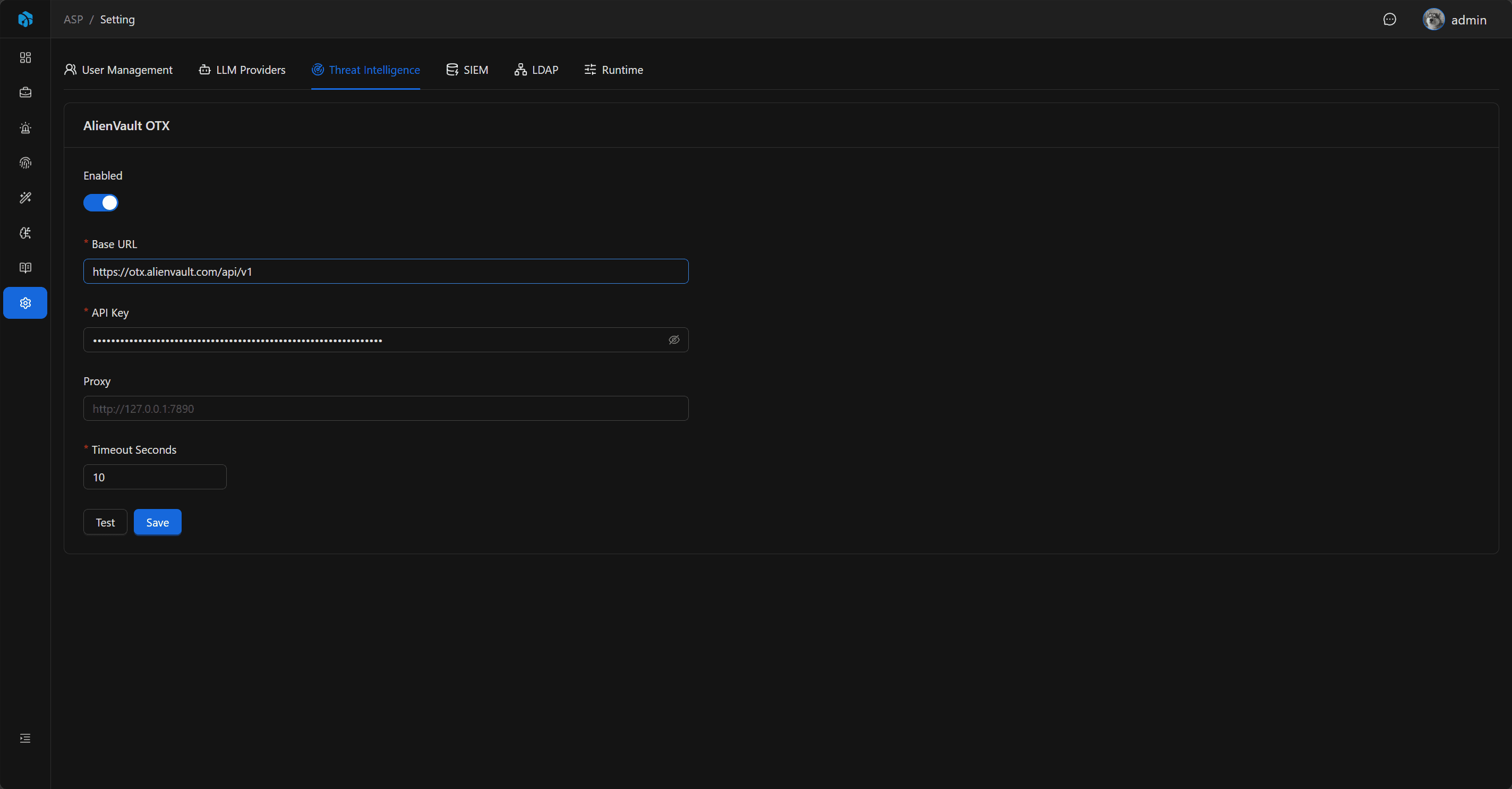
The page is organized by provider:
AlienVault OTX: Query public IOC reputation, pulses, and malicious context from AlienVault OTX.OpenCTI: Read STIX / OpenCTI objects, relationships, and report context from a self-hosted OpenCTI platform.
AlienVault OTX
After registering AlienVault OTX, you can get the API Key from the account settings page.
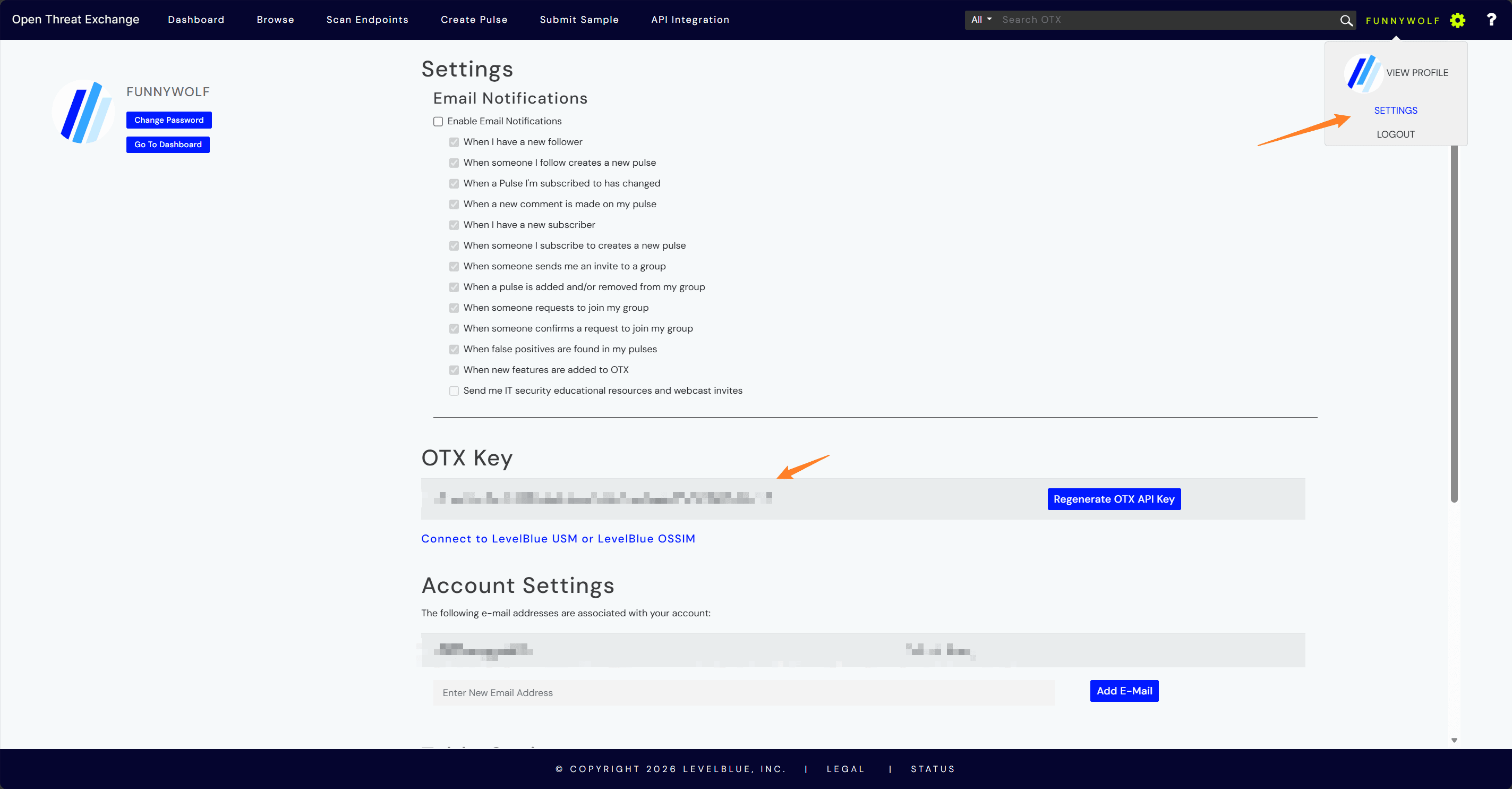
Configuration Items
| Field | Description |
|---|---|
| Enabled | Whether to enable AlienVault OTX. |
| API Key | AlienVault OTX API Key. |
| Base URL | OTX API address, default https://otx.alienvault.com/api/v1. |
| Proxy | Optional proxy. |
| Timeout Seconds | Query timeout. |
Proxy supports addresses starting with http://, https://, socks4://, or socks5://.
Test Behavior
Before saving, you can use Test to verify configuration. OTX calls the authenticated /user/me endpoint to verify API Key, Base URL, Proxy, and Timeout.
OpenCTI
The OpenCTI Provider connects to a self-hosted OpenCTI platform and converts OpenCTI Indicator, Observable, Vulnerability, Malware, Threat Actor, Campaign, Report, Sighting, and relationship data into ASP threat intelligence enrichment results.
After logging in to OpenCTI, you can get the API Key from the account settings page.
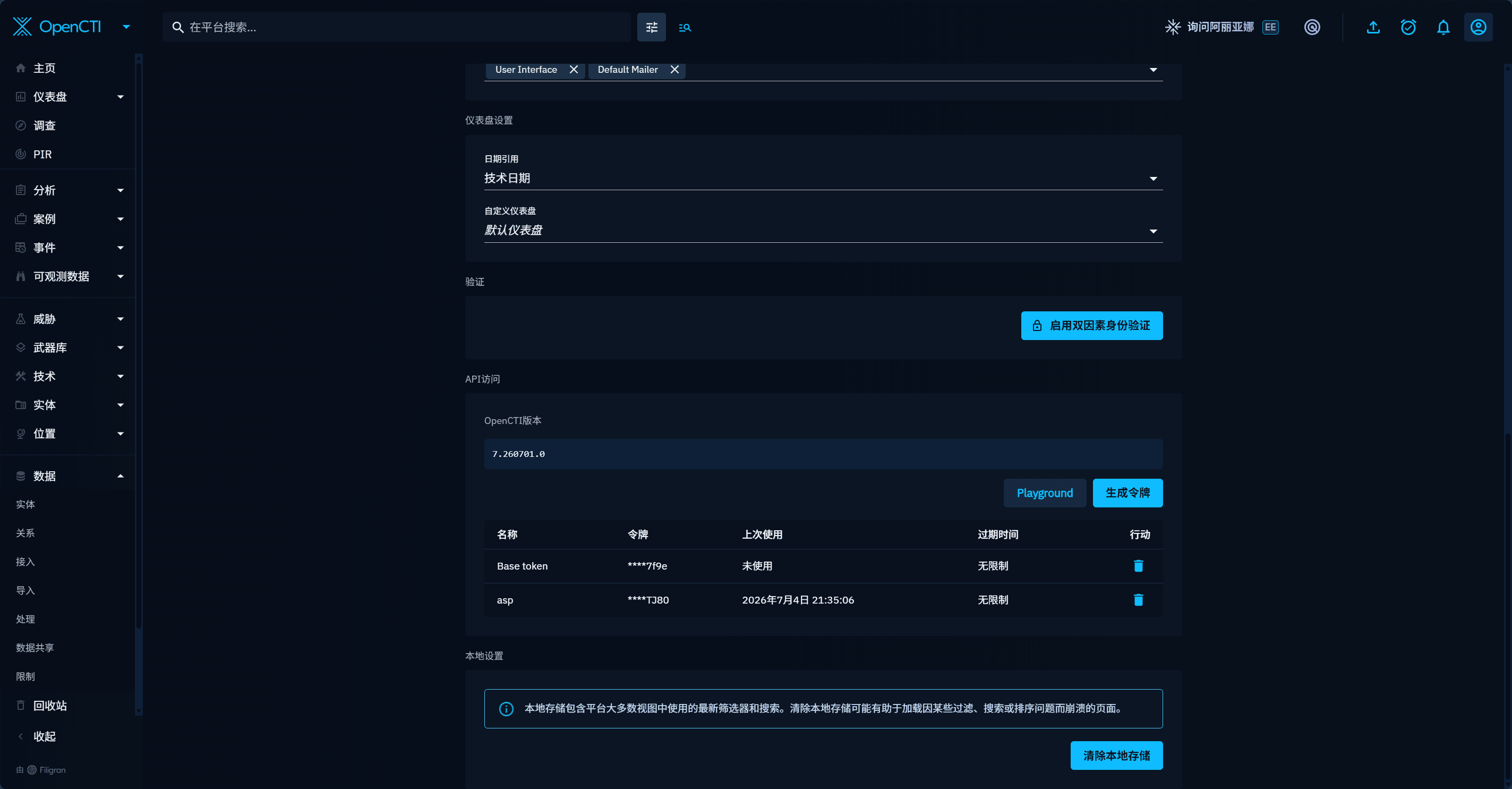
Configuration Items
| Field | Description |
|---|---|
| Enabled | Whether to enable OpenCTI. |
| Base URL | OpenCTI platform URL, for example http://localhost:8080. |
| API Token | OpenCTI API Token. |
| SSL Verify | Whether to verify OpenCTI HTTPS certificates. |
| Proxy | Optional proxy. |
| Timeout Seconds | Query timeout. |
Test Behavior
OpenCTI Test performs a platform health check and tries to read one Indicator or Observable to confirm that the token has read permission.
Provider Behavior
At runtime, ASP queries all enabled real providers:
- If OTX is enabled and an API Key exists, ASP queries
AlienVaultOTX. - If OpenCTI is enabled and URL / API Token exist, ASP queries
OpenCTI. - Callers can explicitly select a provider, for example
--provider OpenCTIin the CLI. - If no real provider is enabled, the query returns a configuration error.
When multiple providers are enabled, one Artifact can produce multiple threat intelligence results. Each result keeps its own Provider, risk level, reputation score, tags, attack techniques, malware families, report summaries, and raw data.
OpenCTI Type Mapping
ASP's external API continues to use existing Artifact Type names. The OpenCTI Provider maps them internally to STIX / OpenCTI types and preserves stix_type, opencti_entity_types, matched_by, matched objects, and one-hop relationship context in raw.opencti.
Common mappings include:
| ASP Artifact Type | OpenCTI / STIX query type |
|---|---|
IP Address | IPv4-Addr / IPv6-Addr |
Hostname, Endpoint | Hostname; domain-like values also query Domain-Name |
URL String, Uniform Resource Locator | Url |
Hash, File, File Name, File Path, Fingerprint | StixFile |
Email Address, Email | Email-Addr / Email-Message |
MAC Address | Mac-Addr |
Process Name, Process, Process ID, Command Line | Process |
Registry, Registry Path | Windows-Registry-Key |
HTTP User-Agent | User-Agent |
User Name, User, Account | User-Account |
User Credential ID | Credential |
Resource UID, Resource, Device, Serial Number | Simple-Observable |
CVE, CWE | Vulnerability |
Country, Geo Location | Location |
Advisory | Report |
Types that cannot be mapped rigorously return unsupported. The provider does not perform broad full-text fallback search, which avoids writing weakly related matches as valid threat intelligence.
Enrichment Flow
Threat Intelligence Enrichment Playbook collects Artifacts from Case-associated Alerts, queries threat intelligence for each unique Artifact, and writes results to the Artifact's Enrichment.
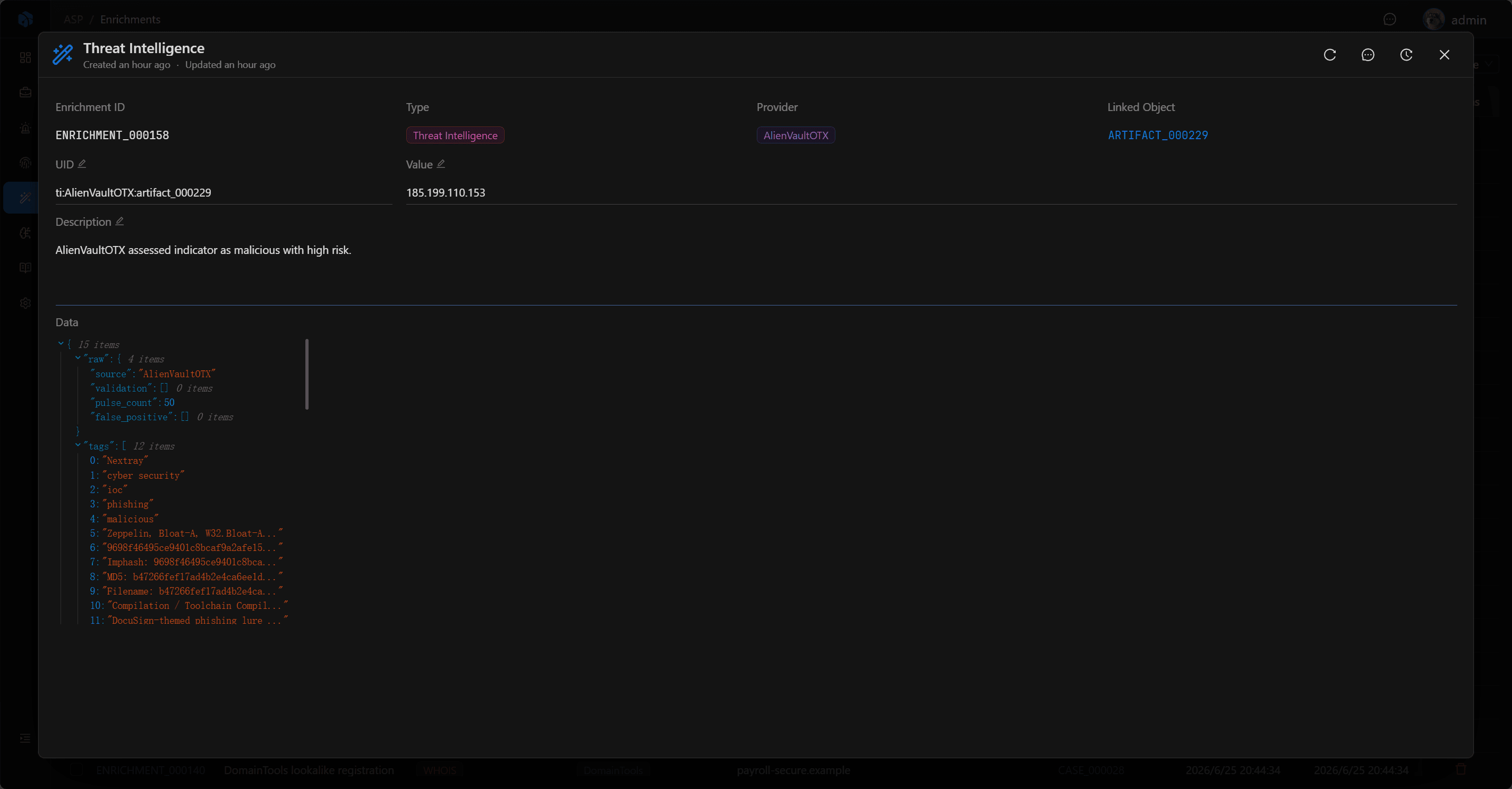
The written Enrichment type is Threat Intelligence. OpenCTI results keep both common fields and OpenCTI-specific context:
- Common fields: Provider, risk level, reputation score, malicious judgment, tags, attack techniques, malware families, adversaries, industries, and report summaries.
- OpenCTI-specific fields: matched objects, STIX / OpenCTI types, one-hop relationships, related Malware, Threat Actor, Campaign, Infrastructure, Vulnerability, Report, Sighting, and more under
raw.opencti.
OpenCTI risk level primarily uses the highest matched x_opencti_score: >=70 is high, >=40 is medium, and >0 is low. If no score exists but malicious context is present, the result falls back to medium.
Usage Recommendations
- Use Test first to confirm the Provider key / token and network are available.
- Configure Proxy when operating behind a proxy.
- Control Timeout to avoid external services blocking investigation flow.
- If OTX and OpenCTI are both enabled, compare Enrichment results by Provider.
- After executing Threat Intelligence Enrichment from a Case, return to Artifact Enrichments to review results.
Next Steps
- Enrichment — See how threat intelligence results are attached to Artifacts.
- Playbook — Run
Threat Intelligence Enrichmentautomation tasks. - Threat Intelligence Skill — Let Harness Agents query threat intelligence.