
Inbox
Inbox is ASP's in-app messaging capability, used to receive system notifications, user messages, and resource-related collaboration reminders.
Entry and List
The message button at the top of the frontend displays the unread count; clicking it opens the Inbox Drawer.
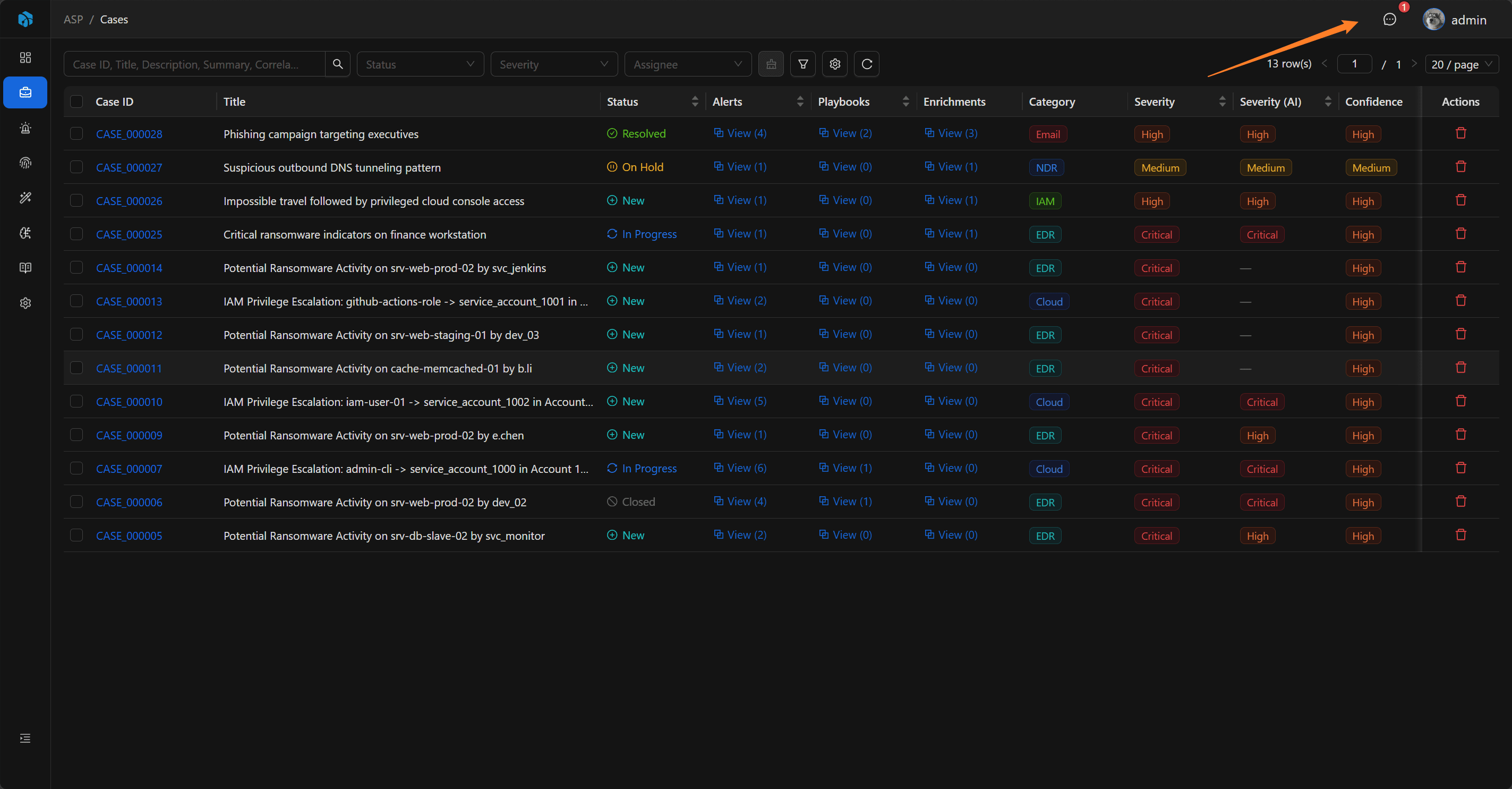
Inbox supports viewing all messages or only unread messages, and also supports refreshing the list and Mark all read. Clicking a message loads the details and marks the current user's receipt status as read.
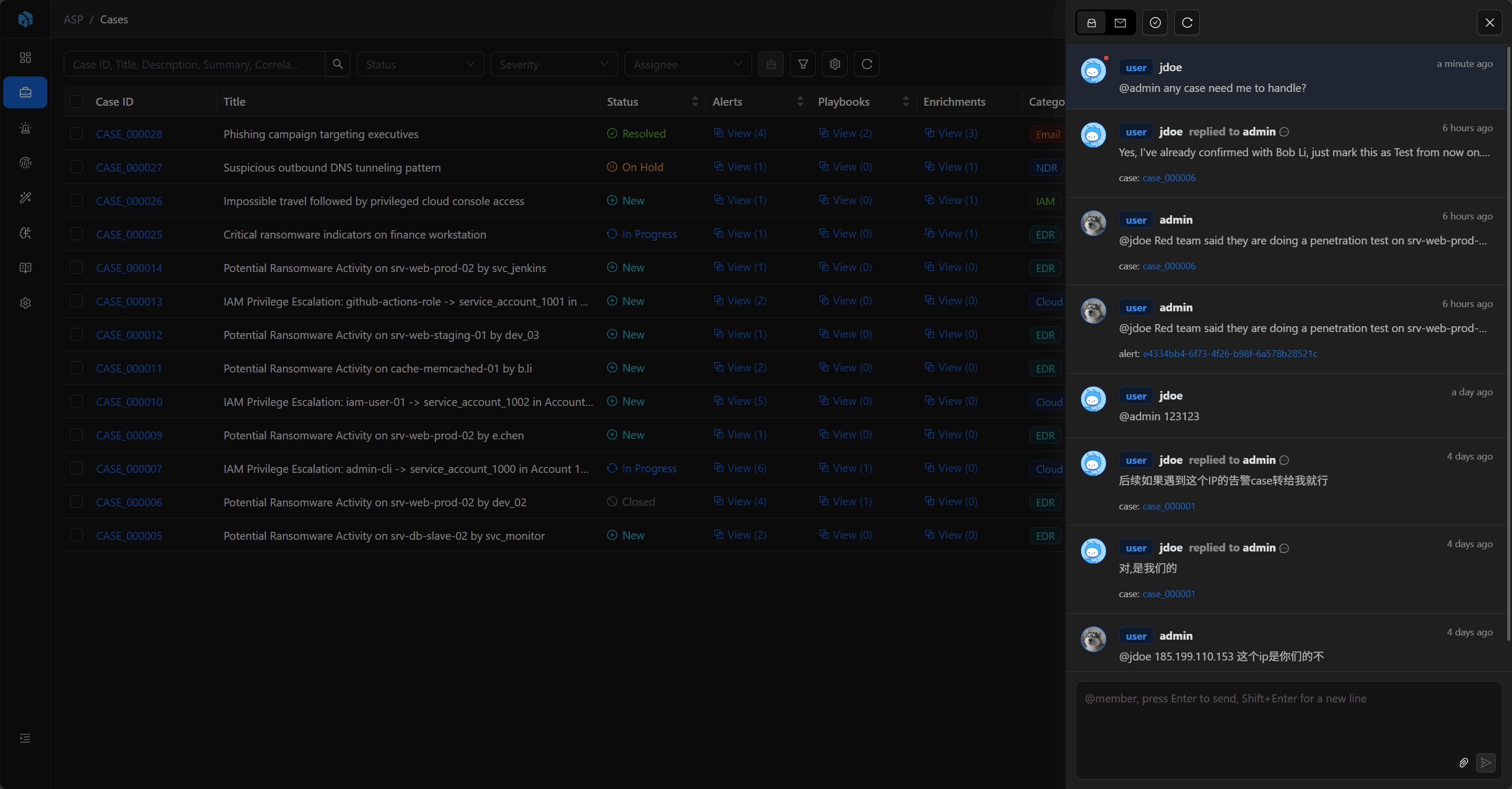
Message Types
- System: System messages.
- User: User messages.
Each recipient has an independent read status, so the same message can have different read / unread status for different users.
Message Content
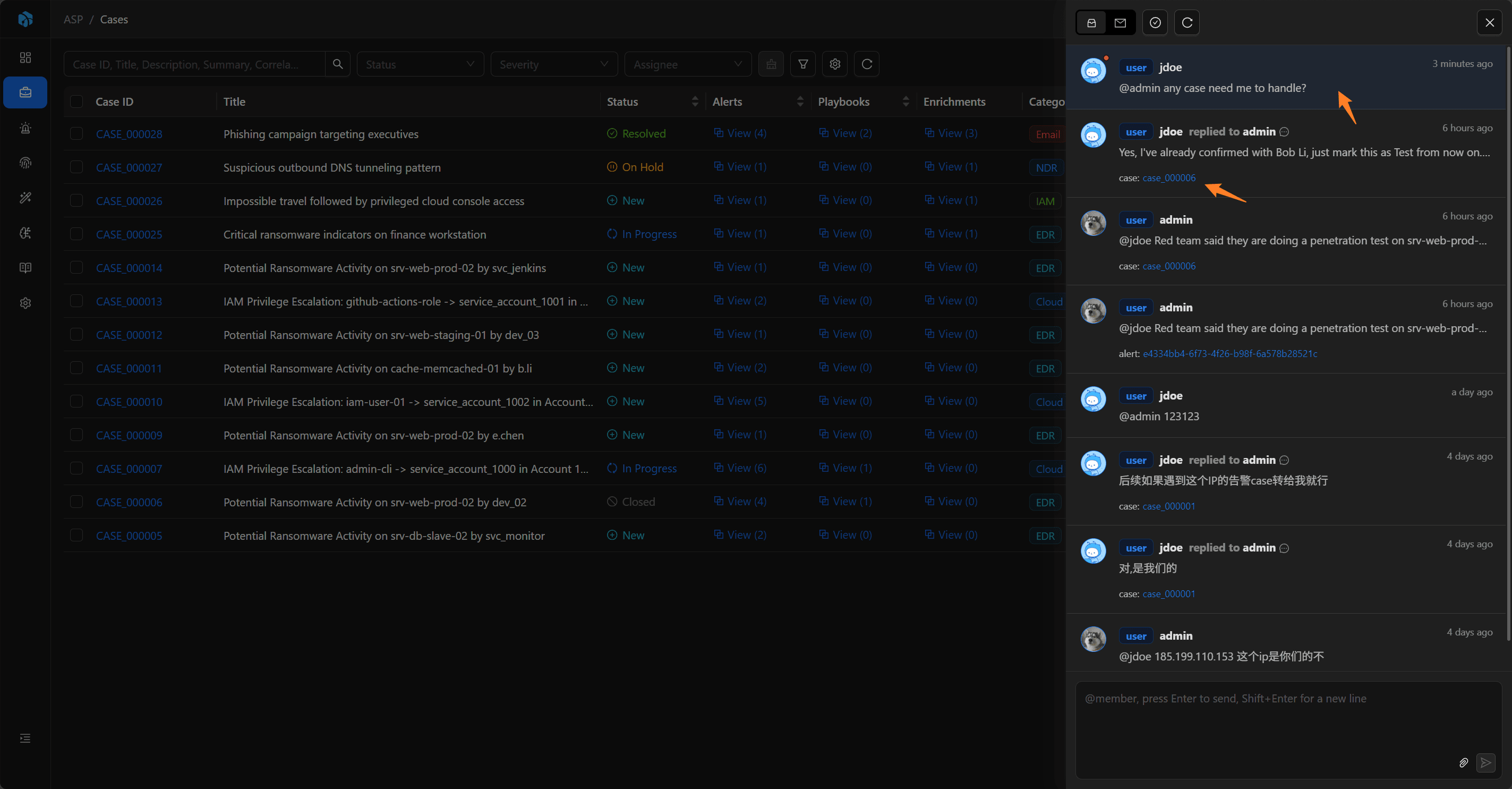
Messages display sender, send time, message type, body, attachments, and associated resources. Image attachments can be previewed, and other files can be opened or downloaded.
If a message is associated with a resource, Inbox displays the resource type and resource label; clicking it opens the corresponding detail page to continue processing.
Send and Reply
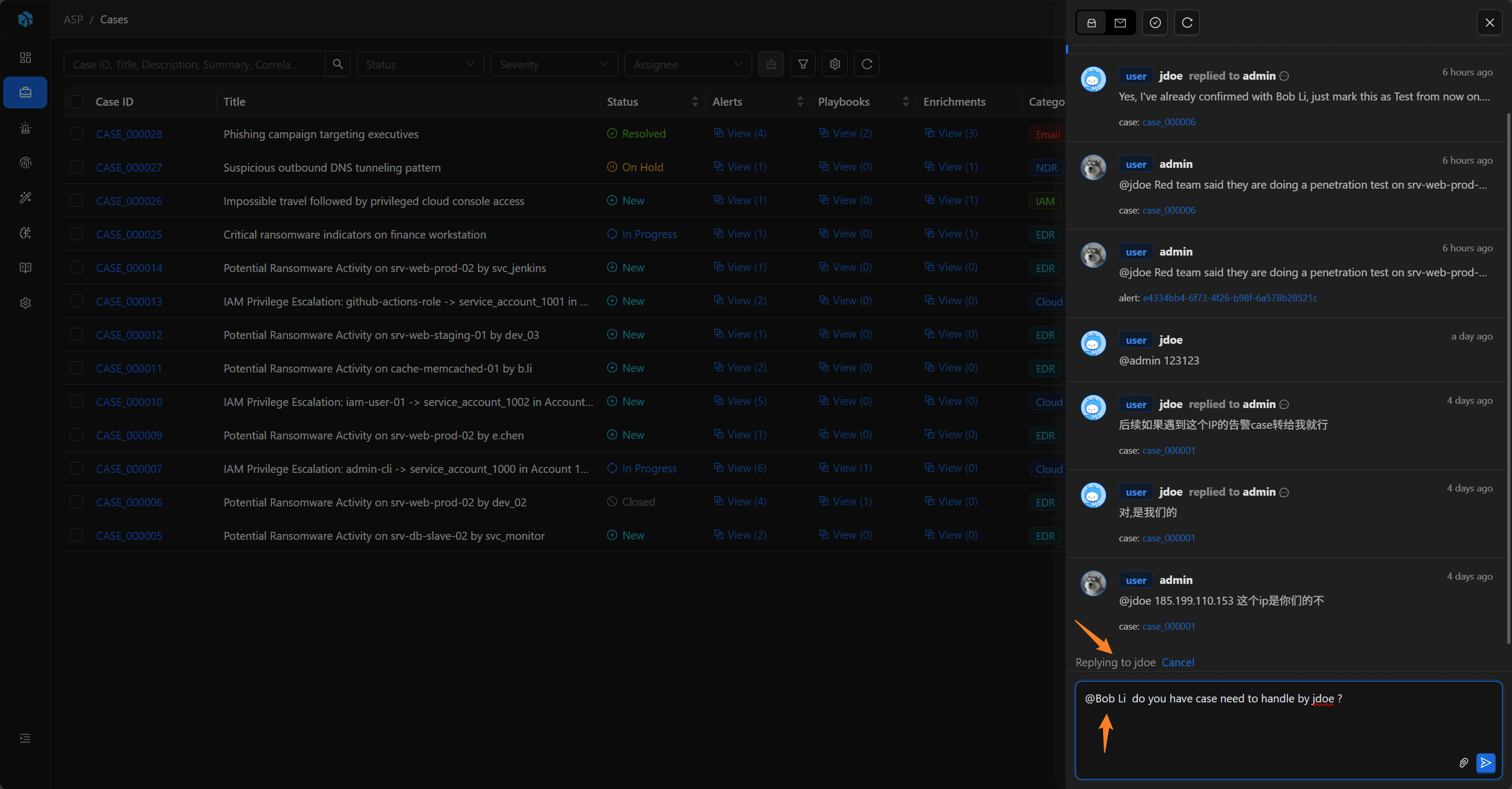
When sending a User message, you need to @ at least one user in the body as a recipient, and you can also attach files or paste images.
User messages support replies; System messages cannot be replied to. Users can only delete their own User messages, and cannot delete System messages or messages from others.
Associated Resources
Inbox messages can be associated with the following resources:
- Case
- Alert
- Artifact
- Enrichment
- Playbook
- Knowledge
- User
@ mentioning users in Comments generates Inbox messages and associates the current resource. When users reply from such messages, the reply content is also synchronized back to the corresponding resource's Comments.
Common Uses
- Notify users to follow a Case, Alert, or Artifact.
- Send system processing results.
- Conduct lightweight collaboration around security resources.
- Enter the corresponding resource from @ mentions in Comments to continue processing.
Next Steps
- Case — See how Comments, @ mentions, and resource collaboration happen in cases.
- Personal Center — Configure personal notification preferences and API Keys.
- Audit Log — Distinguish collaboration notifications from resource change audit records.