
LDAP
LDAP is used to connect to enterprise identity sources.
Entry
LDAP settings are located in the LDAP Tab of System Settings.
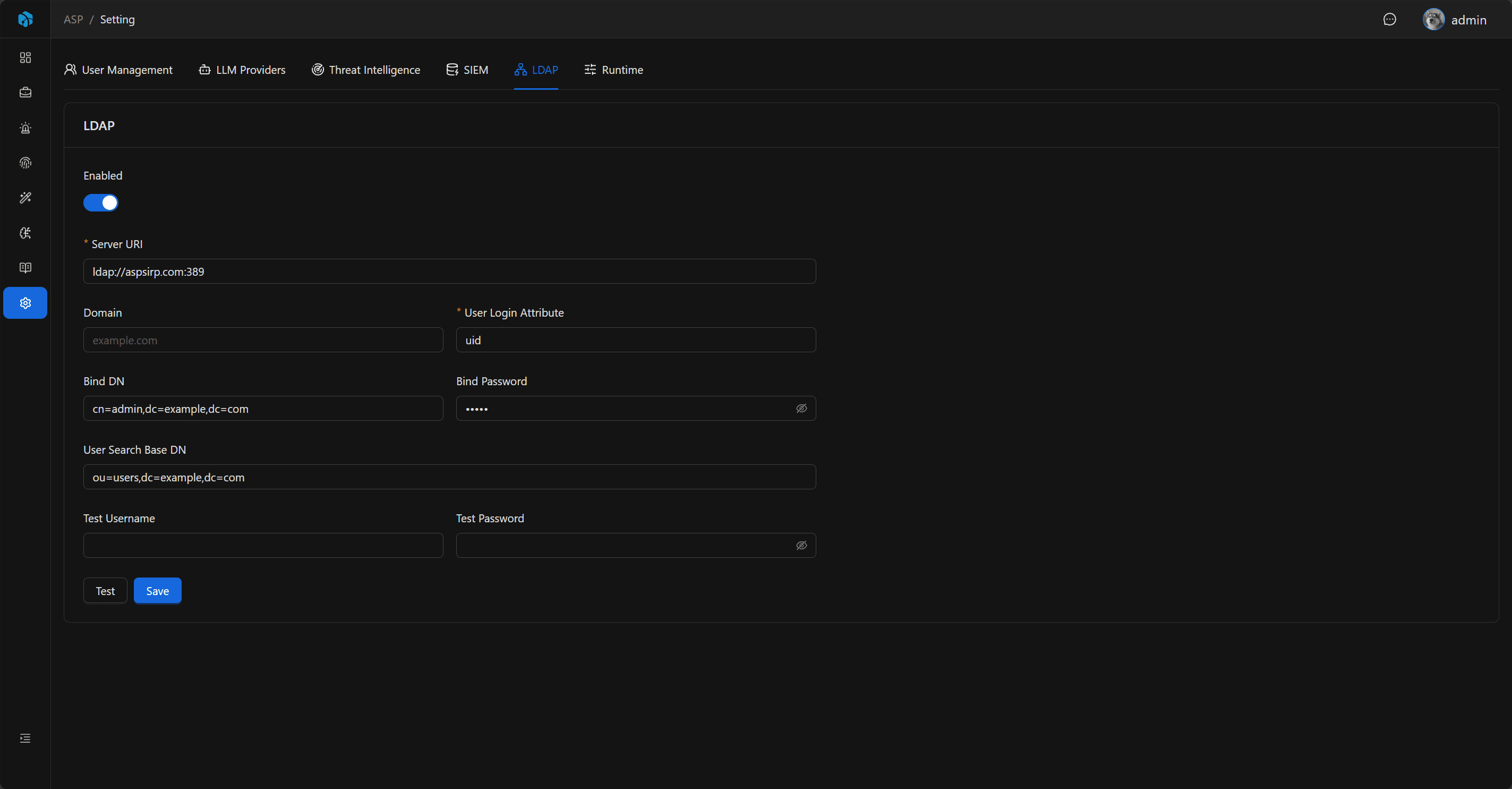
Configuration Items
| Field | Description |
|---|---|
| Enabled | Whether to enable LDAP login. |
| Server URI | LDAP server address, must start with ldap:// or ldaps://. |
| Domain | Used in direct bind mode to build username@domain. |
| Bind DN | Optional service account DN for searching users first. |
| Bind Password | Password for Bind DN. |
| User Search Base DN | Starting DN for user search. |
| User Login Attr | Login name matching field, default uid. |
Common Windows AD Configuration
Windows Active Directory typically uses search bind mode:
| Field | Example |
|---|---|
| Server URI | ldaps://ad.example.com:636 or ldap://ad.example.com:389 |
| Domain | example.com |
| Bind DN | svc_asp@example.com or CN=svc-asp,OU=Service Accounts,DC=example,DC=com |
| Bind Password | Service account password |
| User Search Base DN | DC=example,DC=com or OU=Users,DC=example,DC=com |
| User Login Attr | sAMAccountName |
If you want users to log in with UPN, set User Login Attr to userPrincipalName and require users to enter the full UPN on the login page, such as alice@example.com.
Confirm Configuration on a Domain-Joined Windows Host
If the current Windows host has already joined the domain, first use local PowerShell to confirm the domain name, domain controller, and port connectivity:
$domain = $env:USERDNSDOMAIN
$domain
nltest /dsgetdc:$domain
The DC or Address value in nltest output can be used to identify the domain controller. Then check LDAP / LDAPS ports:
Test-NetConnection <domain-controller-host> -Port 636
Test-NetConnection <domain-controller-host> -Port 389
If port 636 is available, prefer ldaps://<domain-controller-host>:636; otherwise use ldap://<domain-controller-host>:389.
| ASP field | How to confirm |
|---|---|
| Server URI | Use nltest /dsgetdc:$domain to find the domain controller, then choose ldaps://<host>:636 or ldap://<host>:389 based on the port. |
| Domain | Usually use $env:USERDNSDOMAIN, for example example.com. |
| Bind DN | Prefer a dedicated service account UPN such as svc_asp@example.com; a full DN also works. |
| Bind Password | Service account password. It cannot be read from local commands and must be provided or reset by an AD administrator. |
| User Search Base DN | Usually derived from the domain name, for example example.com becomes DC=example,DC=com; you can narrow it to the OU where users actually live. |
| User Login Attr | Windows AD usually uses sAMAccountName; use userPrincipalName if users should enter full UPNs. |
If the RSAT Active Directory module is installed, you can further confirm DNs:
Import-Module ActiveDirectory
Get-ADDomain | Select-Object DNSRoot, DistinguishedName, PDCEmulator
Get-ADUser svc_asp -Properties UserPrincipalName, DistinguishedName |
  Select-Object SamAccountName, UserPrincipalName, DistinguishedName
Authentication Mode
When User Search Base DN is configured, the backend will first use Bind DN / Bind Password for service bind, then search for user DN by User Login Attr=<username>, and finally use the user's input password to bind that user DN.
When User Search Base DN is not configured, the backend will directly bind the user: if Domain is configured, use username@domain; otherwise use username directly.
Test Connection
When Test Username / Test Password are not filled in, Test only verifies whether LDAP bind succeeds. When test account is filled in, username and password must be provided together, and the backend will execute a complete user authentication according to current configuration.
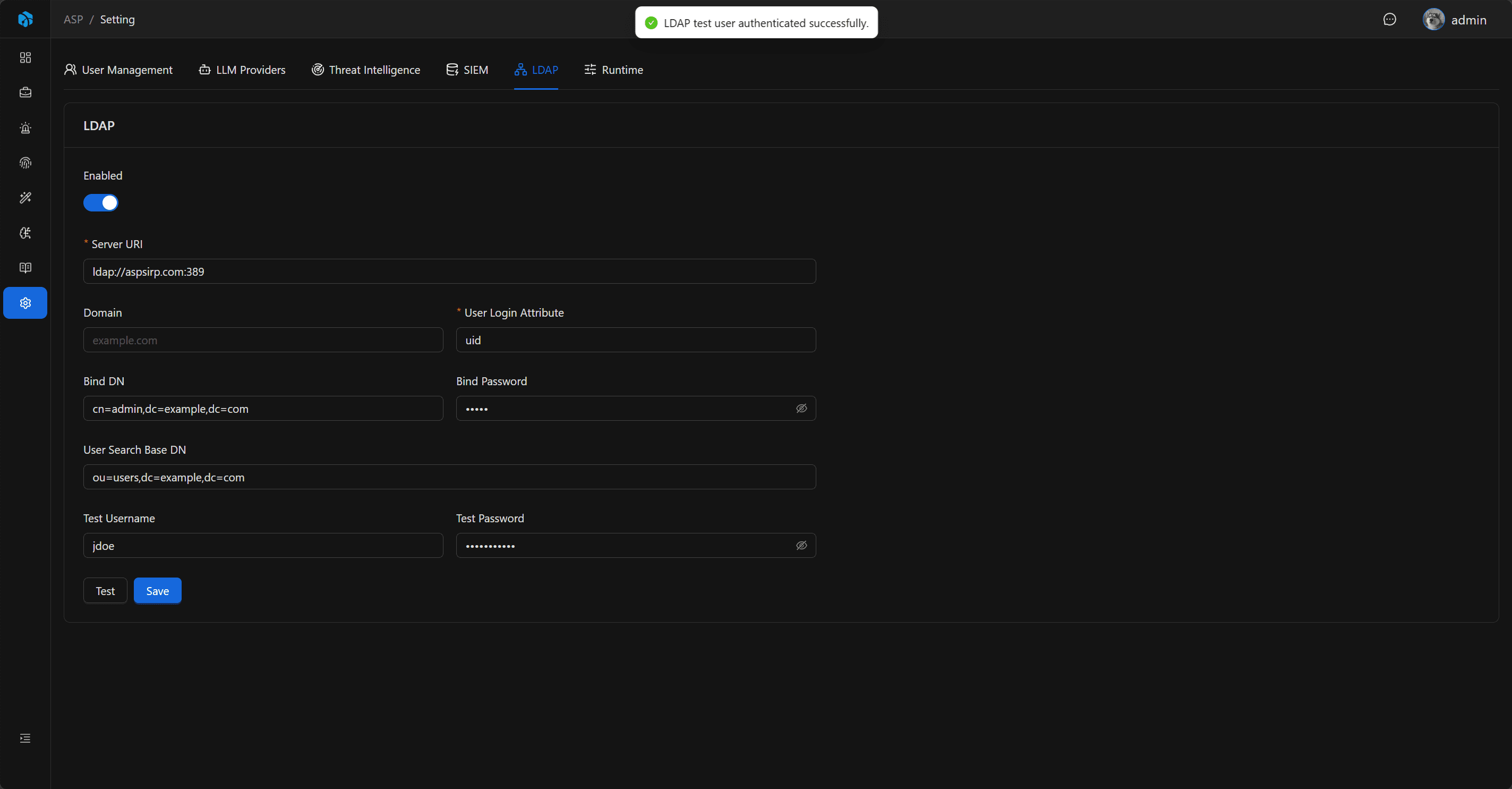
Login Flow
- Admin enables and saves LDAP configuration.
- Use test function to confirm connection and account query are available.
- Admin creates ASP user with Authentication Type set to LDAP in user management.
- User switches to LDAP on login page.
- Backend confirms ASP user exists, account is enabled, authentication type is LDAP.
- Backend uses LDAP to verify user credentials and logs in as that ASP user.
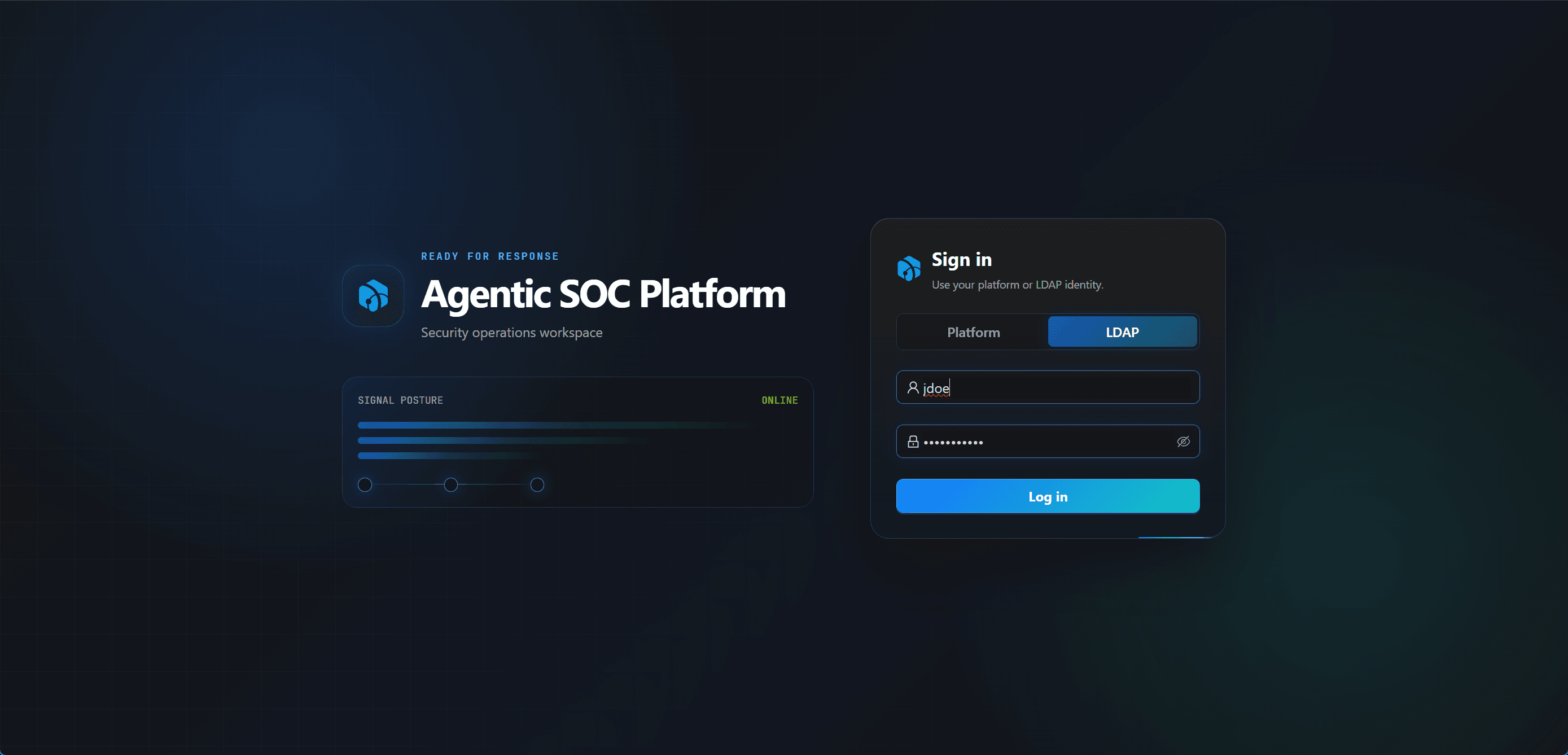
LDAP login does not automatically create ASP users, nor does it automatically assign roles. Local Password users cannot log in with LDAP, and LDAP users cannot log in with Platform.
Security and Audit
Bind Password is hidden by default. Saving configuration, testing connection, and revealing Bind Password are all written to Audit Log; password fields in audit records only record whether a value changed or was revealed, not plaintext secrets.
After saving configuration, the backend refreshes the LDAP runtime cache so later logins use the latest settings.
Usage Recommendations
- Prefer
ldaps://in production environments. - Windows AD typically uses
sAMAccountNameas User Login Attr. - Control User Search Base DN to the actual user's OU or domain scope.
- First use Test Username / Test Password to verify real user login before opening to users.
Next Steps
- User Management — Create ASP users with Authentication Type set to LDAP.
- First Login — Review Platform / LDAP login methods.
- Personal Center — Understand password-change differences between LDAP and Platform users.